
Introduction
My name is Vincent Goelema and I’m a student at the HVA and I’m following the minor Gameplay Engineering. Normally I follow the Game Development courses but I wanted to extend my knowledge. For this R&D project I wanted to extend my knowledge about procedural generation specifically while using Tower Defense games, I’ve made some Tower Defense games prior to this but I noticed that I was very time consuming to create fun playable maps that are long enough to actually be a playable game.
Goals
My goal is to be able to create a procedural towerdefense map based on a pirate theme, so that the island is created randomly and on this island there should a procedurally generated path that makes it a playable map for a tower defense game.
Motivation
I am really motivated to create this procedural tower defense because i really like playing tower defense games. I am curious to get to know how a towerdefense map can be created so that is a great playable and enjoyable map.
Problem statement
When I am generating both the island and the path procedurally in Unity. The main challenge is ensuring that the island has enough space to create the path without causing issues like blocked paths or dead ends. It is also important to make sure the path is clear and spaced properly to allow gameplay features like placing towers.
Research Question
How can we ensure that procedurally generated islands in Unity provide sufficient, optimized space for clear path generation without dead ends while maintaining a balance between island size, shape, and path lenghts
To solve the challenges of creating a good map on a procedurally generated island, we can break the research into several sub-questions:
How can we make sure that the procedurally generated island provides enough space for the path? What strategies can we use to ensure that the paths on the island are clear, reach the goal, and don’t get too close to each other? How can we balance the size and shape of the island with the length and difficulty of the path to create fun gameplay? Take One Sub-Question and Find Multiple Solutions Sub-Question: How can we make sure that the procedurally generated island provides enough space for the path?
Possible Solutions:
Minimum Island Size: One solution is to set a minimum size for the island. This makes sure the island is always big enough to place the path with enough room for the player to interact with the environment.
Dynamic Island Shape: Another solution is to adjust the shape of the island based on the path’s needs. By allowing the island to grow or change shape as the path is created, we can make sure there is always enough open space for the path.
Terrain Optimization: You can also analyze the terrain during island generation. This can help find flat, open spaces where the path can be placed and avoid generating obstacles like mountains or water that might block the path.
Trial and Error
Different Algorithms
Cellular Automata (CA)
| Description | Uses rules to evolve a grid, producing mazelike, looping paths. |
|---|---|
| Pros | - Complex, mazelike paths - Fully procedural - Self-contained |
| Cons | - Less control over final shape - Requires post-processing - Can be performance-heavy |
Random Walk with Constraints
I wanted to use RubberBanding but when i tried this i couldnt make it work so i upgraded my normal random walk algorithm with constraints and now it works great.
| Description | Simulates a random walker that moves from a start point with added constraints for loops and turns. |
|---|---|
| Pros | - Unpredictable and organic - Easy to implement - Customizable randomness |
| Cons | - Low control - Inefficient, may need retries - Risk of dead-ends |
| Description | Simulates a path-finding or movement algorithm where the path is constrained by a flexible boundary, allowing it to stretch or “snap back” towards a target while avoiding obstacles or following certain constraints. |
|---|---|
| Pros | - Smooth and controlled movement - Adjusts well to dynamic environments - Avoids dead-ends and obstacles efficiently |
| Cons | - More complex to implement - May require fine-tuning of parameters (e.g., tension, constraints) - Can feel less organic or predictable in some cases |
Bezier Curves
| Description | Uses control points to create smooth, curvy paths that pass through or near those points. |
|---|---|
| Pros | - Smooth and visually appealing - High control - Great for aesthetics |
| Cons | - Requires manual control points - Limited randomness - No sharp turns |
A* (A-Star) Algorithm
| Description | A grid-based pathfinding algorithm that uses heuristics to find the shortest path between points. |
|---|---|
| Pros | - Optimized for pathfinding - Customizable cost functions - Works well with grids |
| Cons | - Tends to create the shortest path - Complex to adapt for loops - Computationally expensive |
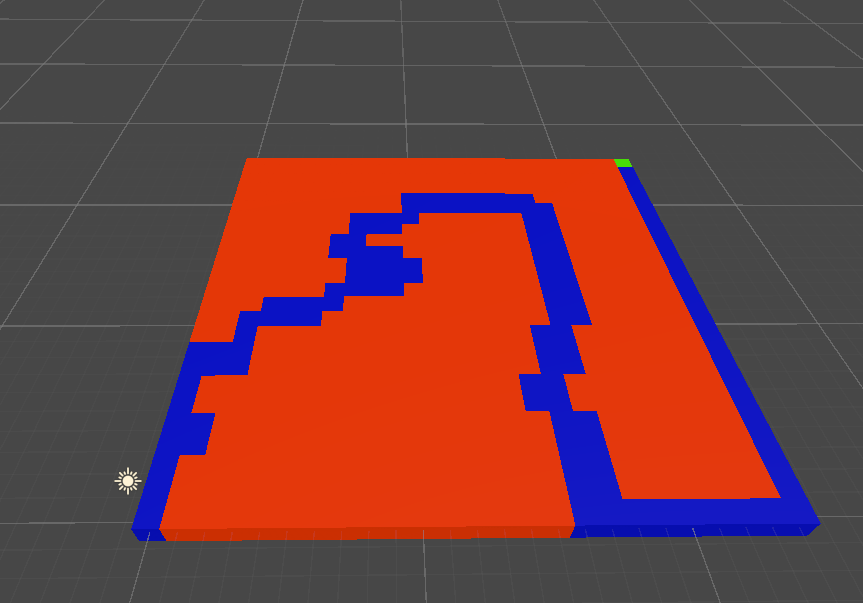
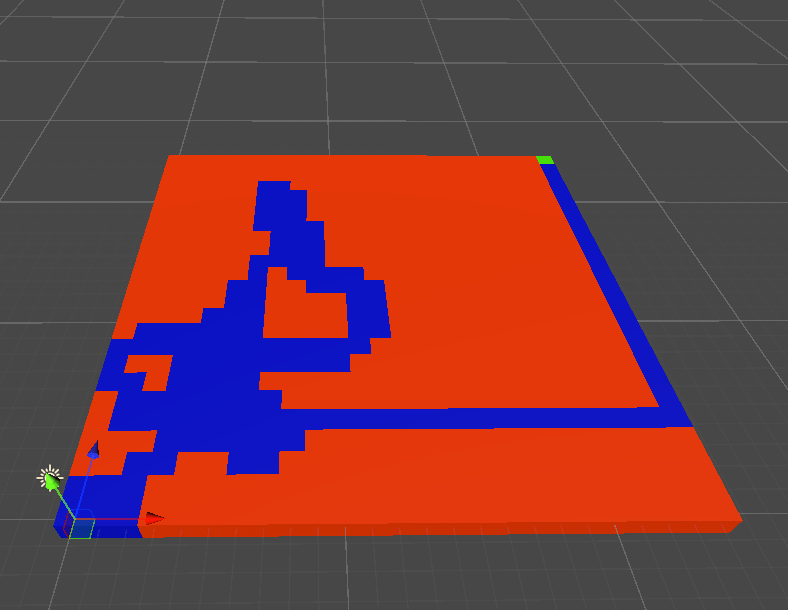
Depth-First Search (DFS)
| Description | Explores as far as possible along each branch, generating long, winding paths with loops. |
|---|---|
| Pros | - Long, looping paths - Simple implementation - Memory efficient |
| Cons | - Not optimized for path length - Risk of dead-ends - Less predictable path structure |
Waypoint Grid with Heuristic
| Description | Paths are generated between predefined waypoints on a grid, mixing randomness with structure. |
|---|---|
| Pros | - Balanced control and randomness - Ensures loops and turns - Customizable path complexity |
| Cons | - Potential grid-like appearance - Extra complexity for setting waypoints - Still requires randomness |
Perlin Noise
To create my island i started using Perlin Noise, this instantly worked great and it was easy to get a somewhat useable terrain. This terrain was far from being good enough for a playable tower defense map, the terrain had to many spikes there was a lot of random height difference and there was no edge that makes it look like an island. 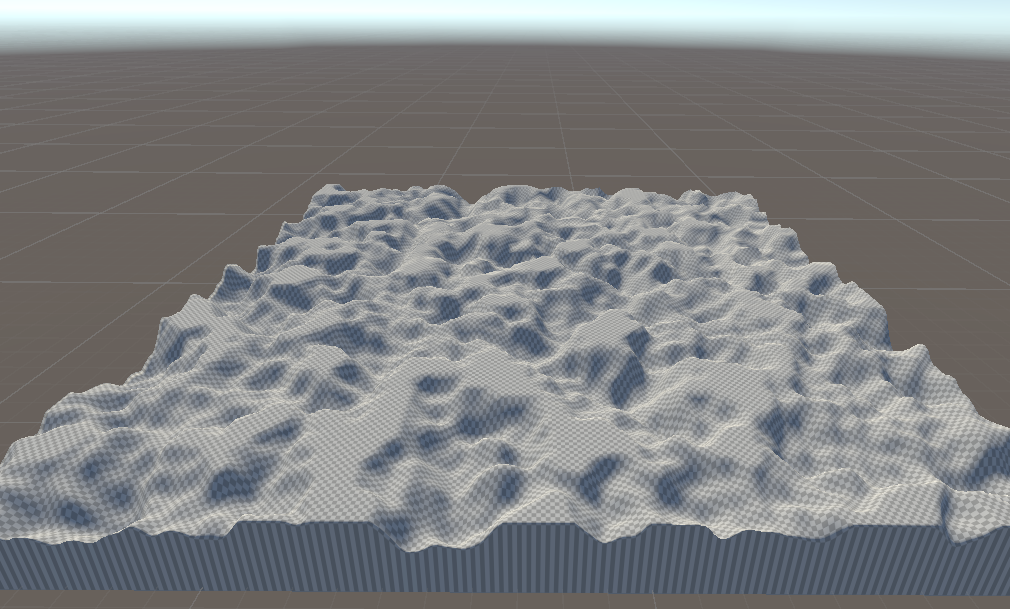
Even my terrain was quite nice it didn’t look like an island so i had to fix this, i tried to make a function that the terrain round like a basic island so that i can work futher from here. 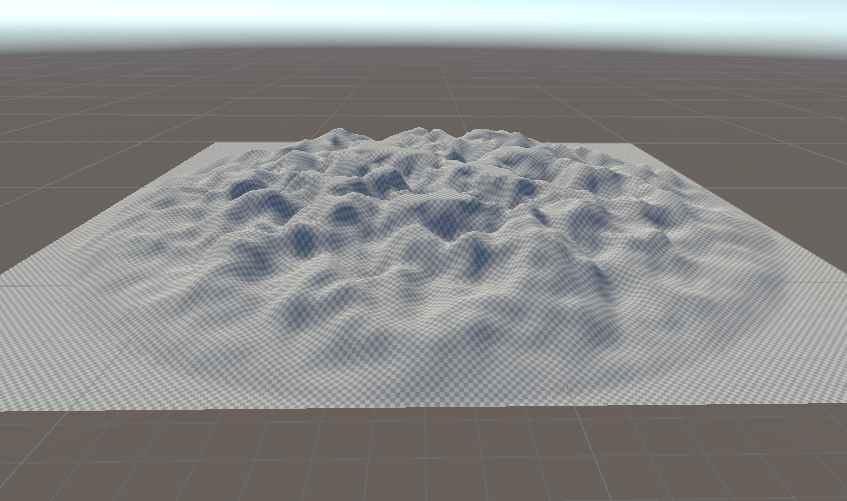
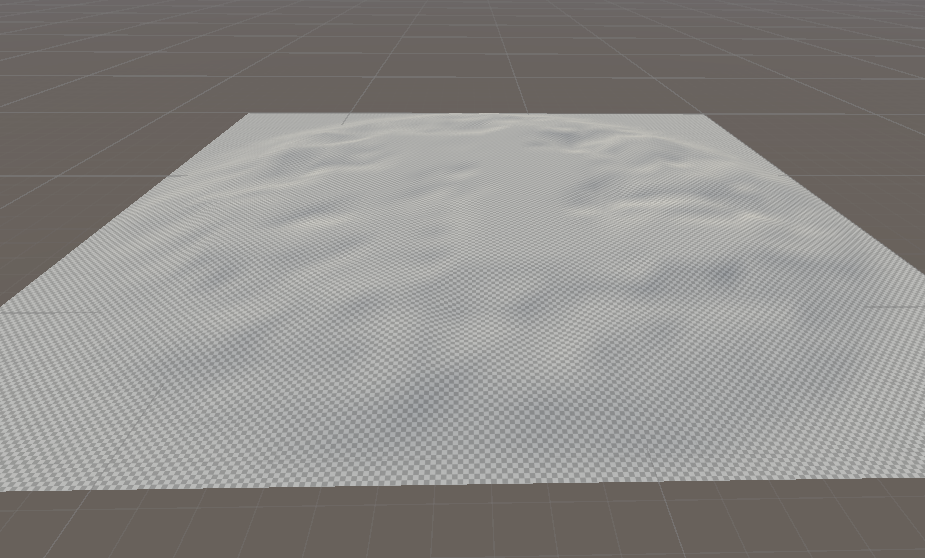
Perlin Noise is a random pattern that generates different values bases on diffrent inputs. When using Perlin Noise in terrain generation you would want a smooth terrain that feels like a natural landscape. Perlin Noise blends smoothly so that its not completely random but still controlled.
In my case the most important variables Persistance Lacunarity and Size because these variables determine how big and smooth my terrain looks.
Bias Towards Endpoint(Random Walk With Constraints)
The path generation algorithm now includes a subtle bias towards the endpoint, but only under specific conditions to maintain the randomness of the path. Every few segments, a bias is applied to the next segment’s direction to guide it slightly towards the endpoint. This ensures the path naturally progresses in the correct general direction without creating a straight line. A stronger bias is introduced only when the path is close to the endpoint, ensuring the path efficiently reaches the destination as it gets closer. Preserving Randomness and Cornered Path:
The majority of the path is still generated with random directions to create natural, winding paths with corners. This makes sure the path looks more natural. Random cardinal and diagonal directions are prioritized most of the time, ensuring that the path doesn’t appear too artificial or straight-lined. Proximity-Based Direction Control:
As the path approaches the endpoint, the algorithm gradually increases its bias towards the destination. This ensures that even if the path takes a winding or indirect route, it will eventually converge on the goal, preventing long detours. The path generation continues to include overlap detection, ensuring that no segments of the path cross over one another. If an overlap is detected during generation, that path attempt is discarded, and a new attempt is made, ensuring the final path is always free of overlapping segments.
A final forced connection to the endpoint is applied if the maximum segment count is reached or if the endpoint is close but not yet connected, preventing failures in reaching the destination. This forced convergence ensures the path always completes successfully while still respecting terrain constraints like land and water boundaries.
Benefits:
Natural, Organic Paths: The algorithm now generates more winding, cornered paths that look natural and organic, avoiding straight lines unless necessary. Increased Reliability: The subtle endpoint bias improves the chances of reaching the destination within the maximum number of iterations, making the path generation more efficient.
Controlled Path Generation
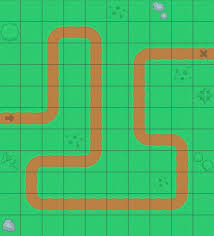
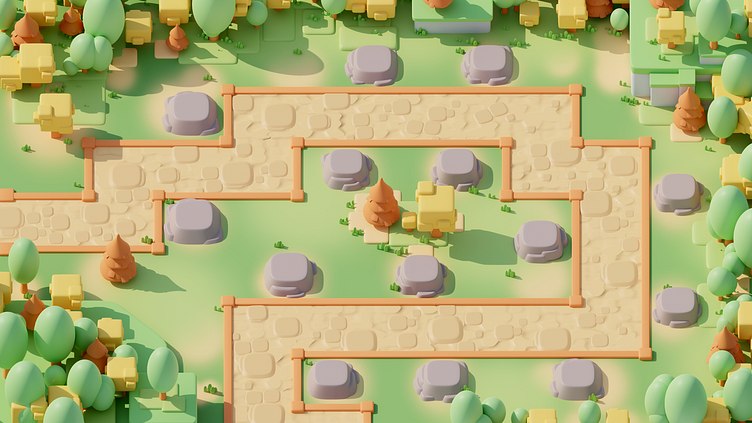
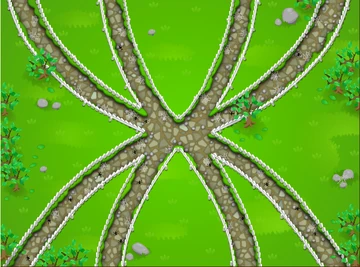
After my third guild meeting we came to the conclusion that my path is to random, sometimes my path is really long while other times my path is way shorter. I did some research about tower defense maps and my conclusion is that the most popular map genre is a map with sharp corners so its easy to see how the enemies travel. Some maps have different features like multiple paths where it becomes harder to play because you need to focus on multiple parts of the map. 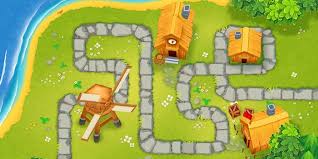
Flaws
After being busy with creating good playable maps i came to the conclusion that procedural Generation is not a great way to create maps for a tower defense game. Players like to have a strategic and well designed this is very hard to replicate with procedural generation because alot of maps will look the same. 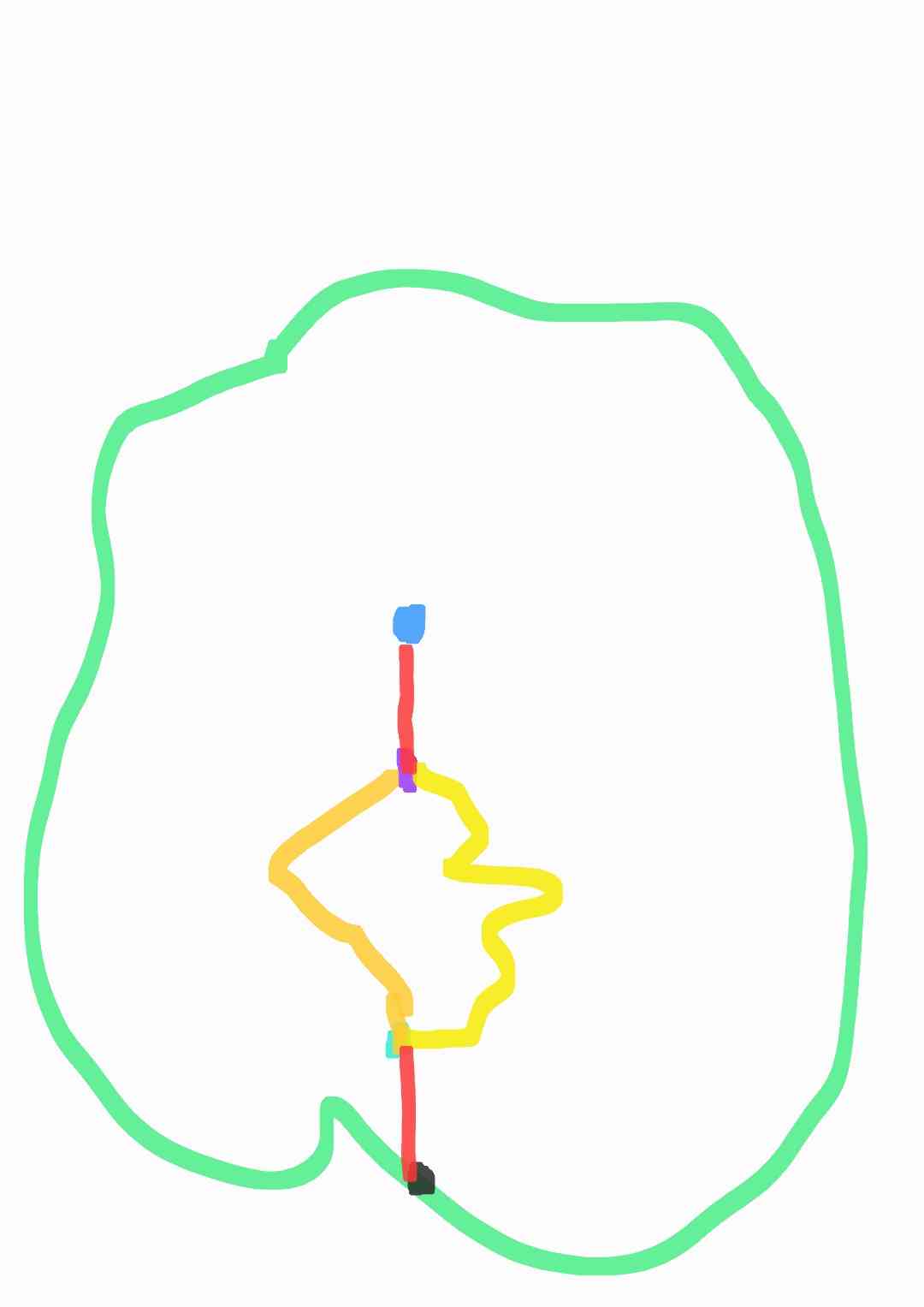
Path splitting
I wanted to achieve my path to be splitted on 1/5 of the path and then it should merge back into eachother on 4/5 so i can be 1 path again when it goes towards the end point. I did some testing around in unity and got a prototype working where my path splits gets displayed. My next step is to implement this in the correct path. 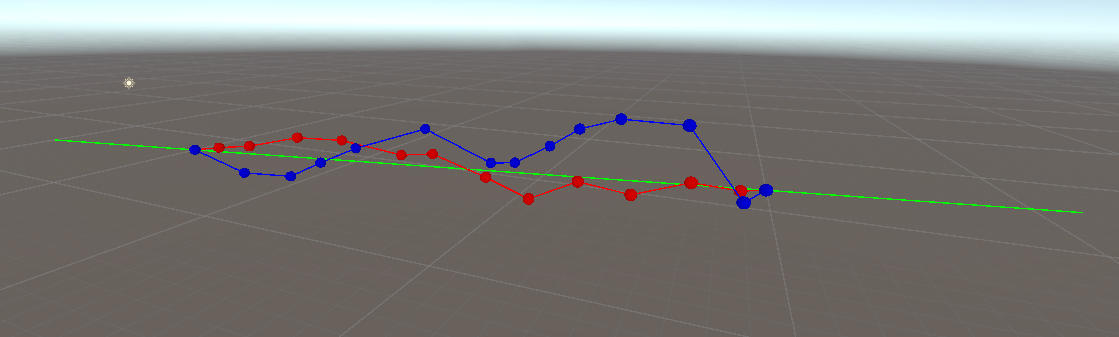
Island Journey
Starting the Island
The IslandGenerator by setting up the island. I wanted it to have a mix of hills and flat areas, so I used Perlin noise to shape the terrain. Perlin noise is basically a way to make random, wavy patterns that look natural, like mountains and valleys. I also added some controls, like “heightMultiplier” to change how tall the hills get and “baseScale” to adjust how spread out the hills are.
I also added options to make the terrain look different every time by using a random seed. If I want the island to look the same each time, I can turn off the random seed and pick a number for the seed myself.
terrainData = islandTerrain.terrainData;
terrainData.heightmapResolution = terrainSize + 1;
terrainData.size = new Vector3(terrainSize, heightMultiplier, terrainSize);

if (randomizeSeed || seed == 0)
{
    seed = Random.Range(1, int.MaxValue);
}
Random.InitState(seed);
Making the Land Shape
The land isn’t just random hills everywhere. I wanted it to look like an actual island, so I added a falloff function. This falloff makes sure the land gradually slopes down to sea level near the edges, like a real island. I also added some noise to the falloff to make it look more interesting, so it’s not just a perfect circle of land.
I made sure to smooth out the height map too. This means taking the rough edges and making them softer, so the land doesn’t look blocky or weird. The script does this a few times to make sure everything looks nice and smooth.
for (int x = 0; x < heightMapResolution; x++)
{
    for (int y = 0; y < heightMapResolution; y++)
    {
        float xCoord = (float)x / (heightMapResolution - 1) * terrainSize;
        float yCoord = (float)y / (heightMapResolution - 1) * terrainSize;

        float perlinValue = CalculatePerlinNoise(x, y, perlinOffsetX, perlinOffsetY);
        float falloffValue = CustomFalloff(xCoord, yCoord);

        heightMap[x, y] = Mathf.Clamp01(perlinValue * (1 - falloffValue));
    }
}

// Smoothing the height map
for (int i = 0; i < 3; i++)
    heightMap = SmoothHeightMap(heightMap);
Finding the Center and the Shore
Once the island is made, the script figures out where the middle of the island is. This is important because the path starts from there. The script also looks for the best spot on the shore to place a dock. It searches along the edges of the island to find a point that’s the right height for a dock. If it can’t find a good spot, it just uses the center point as a backup.
float centerX = terrainData.size.x / 2f;
float centerZ = terrainData.size.z / 2f;
float normalizedHeight = terrainData.GetHeight(
    (int)(centerX / terrainData.size.x * terrainData.heightmapResolution),
    (int)(centerZ / terrainData.size.z * terrainData.heightmapResolution)
);
Vector3 localCenterPoint = new Vector3(centerX, normalizedHeight, centerZ);
centerPoint = islandTerrain.transform.TransformPoint(localCenterPoint); // Convert to world space

shorePoint = FindShorePoint(); // Finds the shore point for the dock
Making the Path to the Dock
Now, the script needs to make a path from the center of the island to the dock. It starts at the center and heads toward the shore where the dock will be.
Putting the Dock in Place
The dock is a prefab (a pre-made object) that gets placed at the shore. If there’s an old dock already there, the script deletes it to keep things clean. Then, it figures out which way the dock should face so it points away from the island and spawns it in the right spot. The dock’s location also gets added to the path as the final stop.
if (currentDockInstance != null)
{
    DestroyImmediate(currentDockInstance); // Remove the old dock if it exists
}
Vector3 shorePoint = FindShorePoint();
Quaternion dockRotation = Quaternion.LookRotation((shorePoint - centerPoint).normalized);
currentDockInstance = Instantiate(dockPrefab, shorePoint, dockRotation);
Saving and Loading Island Settings
I added the option to save and load the island settings. This is helpful if I want to keep the same island shape and path every time. The script saves things like the seed, how big the hills are, and the beach height. It also saves the waypoints for the path. When I load the settings, the script rebuilds the island exactly the same way.
How It All Comes Together
In the end, the script creates a whole island, smooths out the land, adds textures for the beach and the path, and even places a dock at the shore.
Path Journey
So, I made this script to make a path on an island in Unity. The goal is to have a path that goes from the middle of the island to a dock at the edge. But it’s not as simple as drawing a straight line. The path needs to look real, like something you’d actually walk on, and it can’t go off the land or cross over itself.
Starting Stuff
First thing, the script needs some help from the islandGenerator. This thing is like a helper that knows where everything on the island is. It also puts the dock at the edge, so the path knows where to end. I made sure to start from the middle of the island and use the dock as the finish line. The script tells the islandGenerator to put the dock down, so everything is in the right place.
if (islandGenerator != null)
{
    islandGenerator.SpawnDockAtShore(); // Puts the dock in the right place
    startPoint = islandGenerator.centerPoint;

    if (islandGenerator.currentDockInstance != null)
    {
        Transform startDockPoint = islandGenerator.currentDockInstance.transform.Find("DockStartPoint");
        if (startDockPoint != null)
        {
            endPoint = startDockPoint.position; // Sets the end point at the dock
        }
        else
        {
            Debug.LogError("StartDockPoint not found on dock prefab.");
            return;
        }
    }
}
else
{
    Debug.LogError("IslandGenerator reference is missing.");
}
Making the Path
My PathGenerator makes the path in little pieces. I set each piece to be a certain length, so it’s not too long or too short. There’s a limit to how many pieces it can make, because I don’t want the path to be too long. When it makes each piece, it sometimes goes in a random direction to make the path look natural. But I also made it so that every few pieces, it points more toward the dock. This way, the path still heads the right way but doesn’t look boring.
Vector3 currentPosition = startPoint;
waypoints.Add(currentPosition); // Add the start point

for (int i = 0; i < maxSegments; i++)
{
    Vector3 nextDirection;
    if (i % 4 == 0 || Vector3.Distance(currentPosition, endPoint) < segmentLength * 5)
    {
        nextDirection = GetBiasedDirection(currentPosition, endPoint, 0.3f); // Bias toward the dock
    }
    else
    {
        nextDirection = GetRandomDirection(); // Random direction for natural look
    }

    Vector3 nextPosition = currentPosition + nextDirection * segmentLength;
    nextPosition = AdjustHeightToTerrain(nextPosition); // Adjust to terrain height

    if (IsPositionOnLand(nextPosition))
    {
        waypoints.Add(nextPosition);
        currentPosition = nextPosition;
    }
}
Avoiding Problems
While it’s making the path, the script checks a lot of things. First, it makes sure that the path doesn’t cross itself. If a new piece gets too close to an old piece, the script throws it away and tries again. It also checks if the new piece is on land. I used something called raycasting for this, but basically, it’s like shining a flashlight straight down to see if the ground is there. If it’s not, the script skips that piece and tries another direction.
foreach (Vector3 waypoint in waypoints)
{
    if (Vector3.Distance(waypoint, nextPosition) < segmentLength * 0.3f)
    {
        overlaps = true;
        break;
    }
}

Ray ray = new Ray(position + Vector3.up * 5f, Vector3.down); // Raycast to check ground
if (Physics.Raycast(ray, out hit, 20f))
{
    if (hit.collider.gameObject.layer == LayerMask.NameToLayer("Island"))
    {
        return true; // It's on land
    }
}
Making Sure It’s Good
Even when the path is done, it needs to pass some tests. It checks if the path is the right length—not too long or too short. And it checks if the last point of the path is close enough to the dock. If it’s not good enough, the script starts over and tries again. It’ll keep trying until it gets it right, or it gives up after a lot of tries.
float totalPathLength = CalculateTotalPathLength();
float endDistance = Vector3.Distance(waypoints[waypoints.Count - 1], endPoint);

if (Mathf.Abs(totalPathLength - desiredPathLength) <= lengthTolerance && endDistance <= segmentLength)
{
    return true; // Path is good
}
else
{
    Debug.LogWarning("Path validation failed. Retrying...");
}
Plan B
If it fails after a bunch of tries, I made a backup plan. The script just forces the last piece to connect to the dock, even if it doesn’t look great. At least the path reaches the end this way.
if (!pathGenerated)
{
    Debug.LogWarning("Path generation failed after multiple attempts. Forcing connection to the end point.");
    waypoints.Add(endPoint); // Force the path to reach the dock
}
Drawing the Path
When the path is ready, the script draws it on the ground. It changes the texture on the island so you can see the path. The script blends the path with the ground texture so it doesn’t look weird. The path looks like it belongs on the island.
foreach (var waypoint in waypoints)
{
    Vector3 terrainPosition = terrain.transform.InverseTransformPoint(waypoint);
    int mapX = Mathf.RoundToInt((terrainPosition.x / terrainData.size.x) * terrainData.alphamapWidth);
    int mapZ = Mathf.RoundToInt((terrainPosition.z / terrainData.size.z) * terrainData.alphamapHeight);

    splatMap[mapZ, mapX, 1] = 1f; // Apply the path texture
}
terrainData.SetAlphamaps(0, 0, splatMap);
Showing the Path in Unity
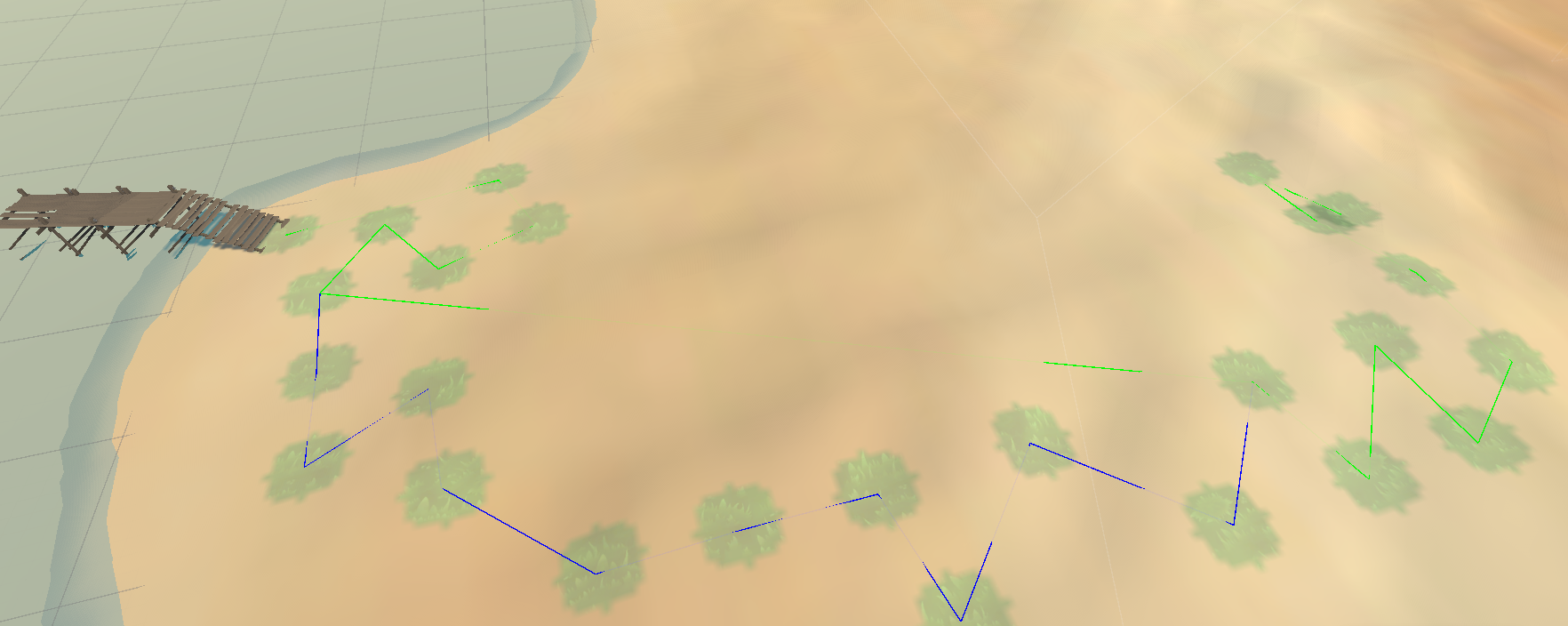
I made it so the path shows up in the Unity Editor. It draws lines where the path goes, using green and blue colors. This way, I can see if the path looks good or if I need to fix something. The colors help me see different parts of the path easily.
Gizmos.color = Color.green;
for (int i = 0; i < greenPath.Count - 1; i++)
{
    Gizmos.DrawLine(greenPath[i], greenPath[i + 1]); // Draw green path
}

Gizmos.color = Color.blue;
for (int i = 0; i < bluePath.Count - 1; i++)
{
    Gizmos.DrawLine(bluePath[i], bluePath[i + 1]); // Draw blue path
}
Making Shortcuts
I also made a way to have shortcuts in the path. This is like a quicker way to get to the dock without taking the long route. It’s just in case you want a faster path.
List<Vector3> shortcutPath = new List<Vector3>();
int totalSegments = waypoints.Count - 1;
int transitionSegmentStart = 2 * totalSegments / 5;
int transitionSegmentEnd = 4 * totalSegments / 5;

for (int i = 0; i <= transitionSegmentStart; i++)
{
    shortcutPath.Add(waypoints[i]); // Add initial waypoints
}
for (int i = transitionSegmentEnd; i < waypoints.Count; i++)
{
    shortcutPath.Add(waypoints[i]); // Add final waypoints
}
So that’s basically how it works. The script makes sure the path stays on land, doesn’t cross itself, and gets to the dock in a natural way. It does a lot of checking and fixing to make sure the path is good, but if it can’t do it perfectly, it has a backup plan. Everything is made to look as real as possible, like a nice trail on an island.
Tower Defense
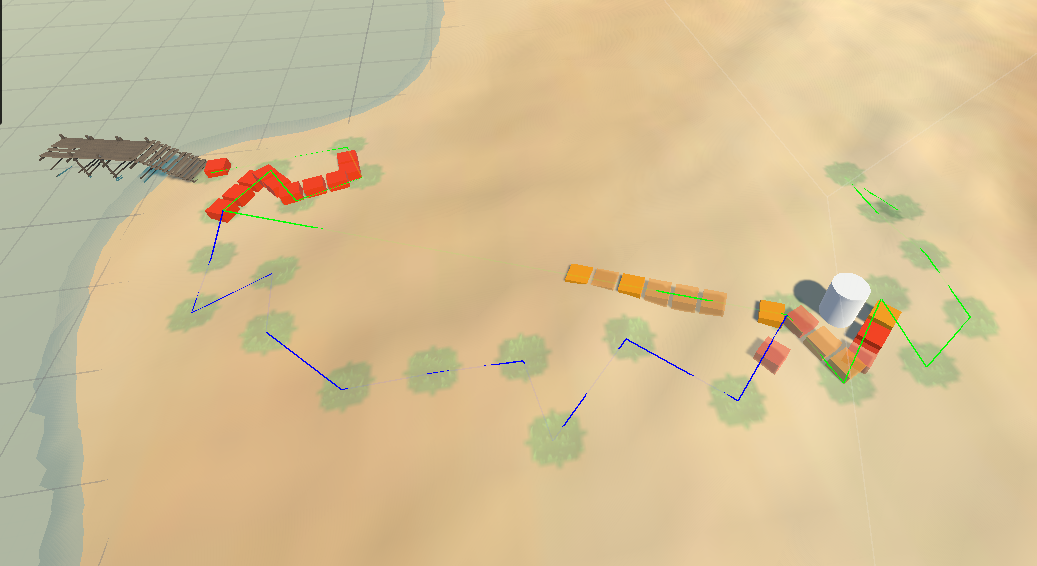
To my this project an actual playable game i created some basic UI where i can buy a tower(Its set up so i can have alot of different towers) and place this on the island. This tower has some basic function so that it should enemies that are following the created path.
Enemies
I also created a few different enemies so i can display the path splitting functionality.
Endproduct
Sources
Wikipedia contributors, “Random walk”, Wikipedia, 21 september 2024.
Vapidvim, “Introduction to Procedural Generation with Perlin Noise for Game Development - Game Genius Lab”, Game Genius Lab, 10 maart 2024.
Wikipedia contributors, “Bézier curve”, Wikipedia, 5 oktober 2024.
M. Melo, “Understanding Bézier curves - Mateus Melo - medium”, Medium, 5 januari 2022. [Online]. Beschikbaar op:
Wikipedia contributors, “A* search algorithm”, Wikipedia, 30 september 2024.
Wikipedia contributors, “Cellular automaton”, Wikipedia, 6 juli 2024.
Wikipedia contributors, “Depth-first search”, Wikipedia, 3 juni 2024.
“Grid pathfinding optimizations”.
U. Technologies, “Unity - Scripting API: MathF.PerlinNoise”.
J. Flick, “Hex Map 3”, 21 maart 2016.
U. Technologies, “Unity - Scripting API: TerrainLayer”.
U. Technologies, “Unity - Manual: ScriptableObject”.
Brackeys, “PROCEDURAL TERRAIN in Unity! - Mesh generation”, YouTube. 4 november 2018. [Online]. Beschikbaar op:
Syomus, “GitHub - Syomus/ProceduralToolkit: Procedural generation library for Unity”, GitHub. R. Oliveira, “Complete Guide to Unity Procedural Generation - GameDev Academy”, GameDev Academy, 1 november 2023. “How to paint a straightforward path in a terrain”, Unity Discussions, 14 december 2019. “Procedural path generation in a grid”, Unity Discussions, 28 februari 2015. Ryan-Io, “GitHub - ryan-io/procedural-generator: A 2D procedural generator for the Unity Engine”, GitHub. CodingWithRus, “Path Generation : Beginners Procedural Generation EP 9 - Unity3D”, YouTube. 9 december 2021. [Online]. Beschikbaar op: TNTC, “Procedural generation in unity”, YouTube. 17 maart 2023. [Online]. Beschikbaar op: