
Table of contents
- Introduction
- Use case
- Requirements
- Algorithm
- Terrain generation
- Village generation
- Implementation
- Results
- Further research
- Sources
Introduction
In this blog, I will be improving upon the terrain generator I have made in my VR minor. I plan on doing this by adding villages to the terrain.
My research question for this blog is:
How can a village generator be implemented into a terrain generator to improve the ease of making levels for a turn-based rpg?
The levels in question are procedurally generated levels, this means the algorithm that will be used to generate the villages should be efficient and capable of creating a lot of different villages. As sub questions for this research question I have:
- What algorithm is the best to generate a village?
- What is the easiest way to implement these villages into the terrain generator?
- What is the best way to spawn the buildings space-efficient on the terrain?
Use case
The intended purpose for the terrain generator is to be used in an RPG game where the player can explore the world, fight enemies and complete quests. The villages will be populated with NPCs that the player can interact with and buildings that the player can enter.
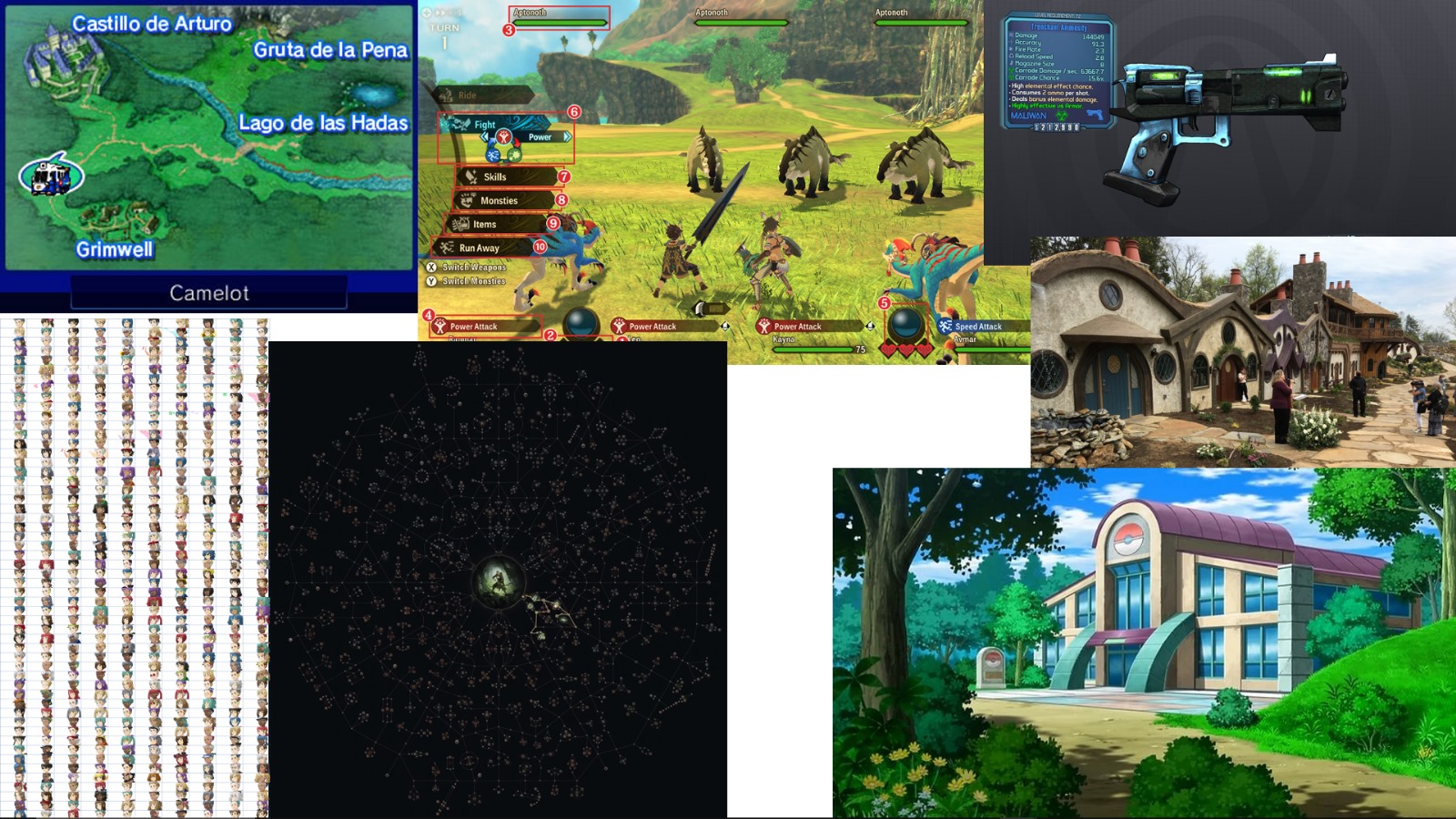 The moodboard I made for the use case
I made this moodboard to give an idea of the style the game would have. The map is an overview of important locations with enemies and quests displayed as well. Turn-based combat with a big skill tree to allow the player to customize their experience. In Pokémon, you can sometimes enter buildings to talk to NPC’s, I want that here too but better. The buildings in the village need to be enterable, and some buildings should have NPC’s that give quests. Just like Borderlands, I want the weapons to be randomly generated during the playthrough. Maybe just the stats for those weapons.
Requirements
The requirements for the village generator are:
- The developer can select which regions the villages should be generated in.
- The villages should be generated in a way that they are not clipping through each other.
- The villages should grab building from the building pool from their specific region.
Algorithm
There are a couple different ways to generate the villages. There are a few algorithms that I have in mind, but these are the most promising two:
1. Random walk
Random walk results in a very similar result to block aggregation. Place a “walker” on a grid and let it move around, this could be based on a random number generator or actual mathematical formulas. Every position on the grid the walkers visits is replaced into a tile. All these tiles combined form a path. May the “walker” hit a tile it has created it will go back to its previous position and try a different direction. It will continue this procedure until it has either covered the whole grid or it has met its finish condition.
Random walk would require an extra bit of work because it generates a tile set that would still have to be converted to a village.
2. L-systems
L-systems are originally used to model the growth of plants. Using structured ‘rules,’ you can generate tree like shapes. This could be used to generate a village. The rules will determine the shape of the path that the buildings will be spawned next to.
The L system works as follows: when trying to create a “dragon curve”[1] you need a certain set of items:
- The variables (in this case F and G) which are used to create the string.
- The axiom (the starting string, in this case F).
- The rules (the rules that are used to create the string, in this case F → F+G and G → F-G).
- The angle (the angle that is used to create the string, in this case 90 degrees).
- The constants (the other characters that are used in the string, in this case + and -).
Using all this, you have two other rules as well:
- F and G mean “draw forward”
- “+” means turn right by angle (in this case 90 degrees)
- “-” means turn left by angle (also 90 degrees)
The L-system will create a string that looks like this:
- F
- F+G
- F+G+F-G
- F+G+F-G+F+G-F-G
- etc.
Doing this for 10 iterations will result in a string that looks like this:
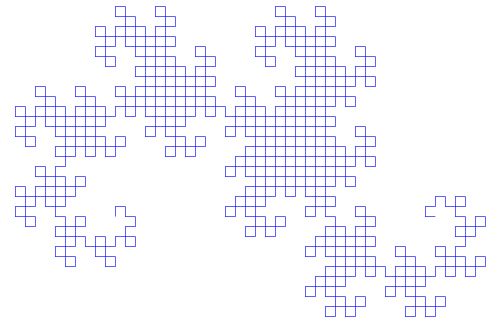
Depending on the iteration limits, different results emerge, and because of the different rule sets that are possible, there can be a great variety of results.
Terrain generation
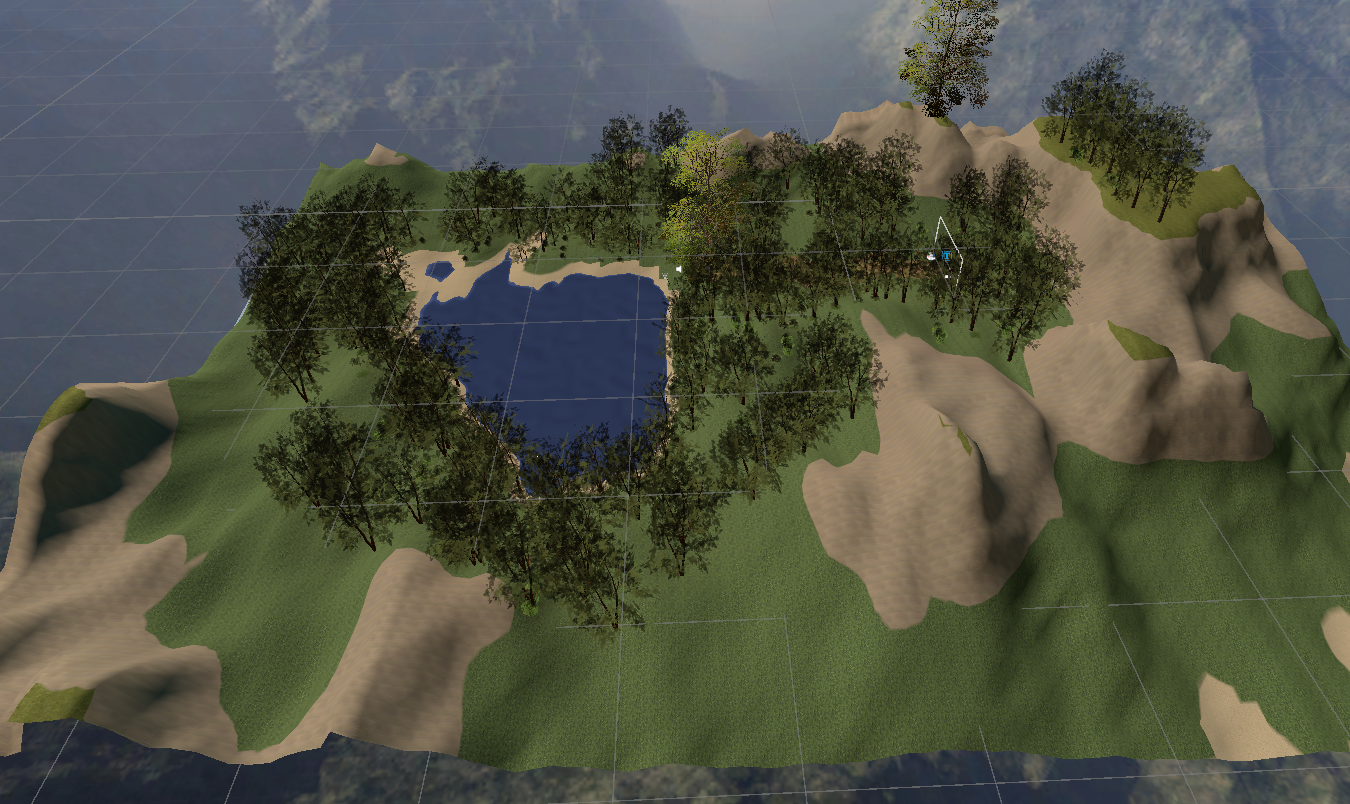
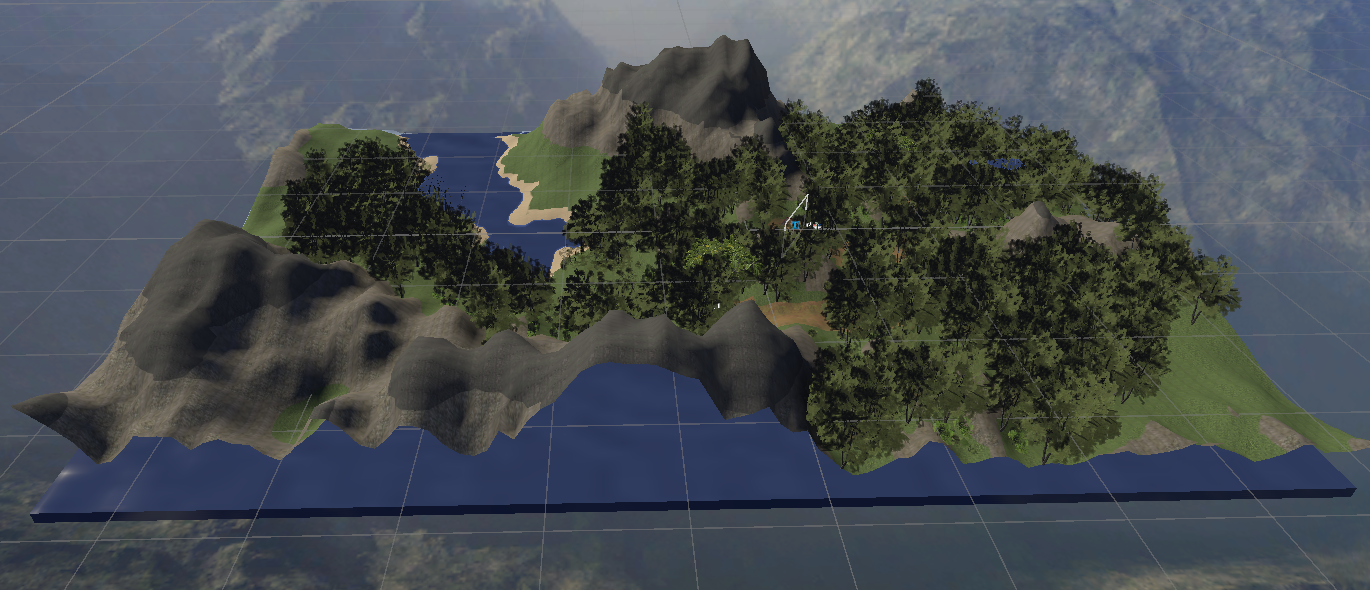
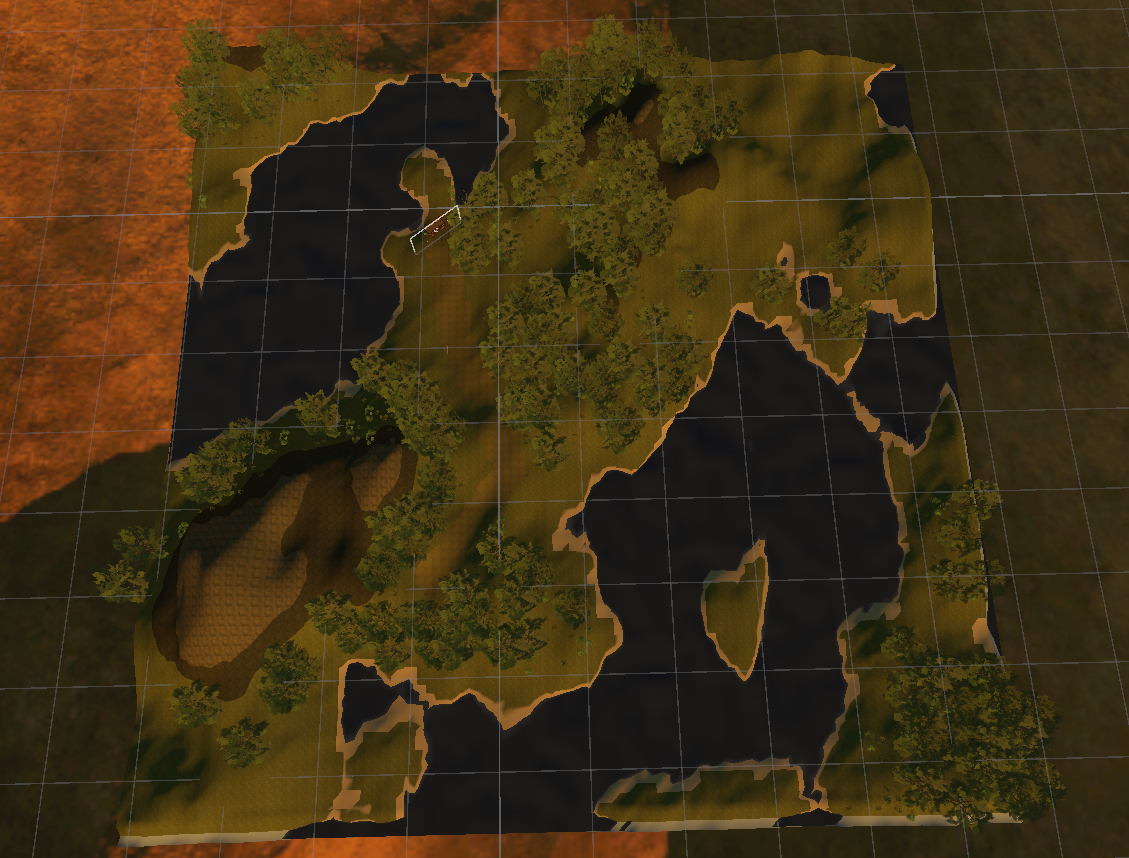
During my VR minor, I made the terrain generator which will be the base for this research. The terrain generator uses perlin noise to generate a height map. This height map is then turned into terrain and divided into regions the developer can state in the inspector. An animation curve is used to impact the height of the terrain. The regions can have their own objects like trees, bushes, etc. to be spawned. If done correctly, you can get very cool results. These are the ones I made during the VR semester:
Village generation
Implementing the L-system can be done in multiple ways. I wanted the L-system to be separate from the terrain generator. This way, the L-system can be re-used easily. I chose to follow the tutorial from Sunny Valley Studio[4] on YouTube. I will use the rule [F]–F to create the villages and to explain everything.
Rules
The rules are implemented as scriptable objects. This way, multiple rules can exist and easily be adjusted. This is an example of how those scriptable objects look in the inspector:
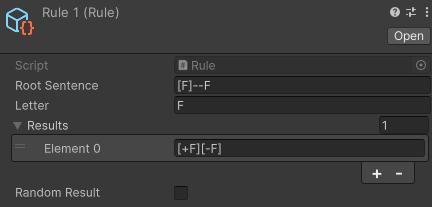
The variables are very clear, but let me explain them anyway:
- Root Sentence: The sentence this rule applies to.
- Letter: The letter that this rule adjusts/replaces.
- Results: Results is a list with strings that the Letter will be replaced with. On default, this will always be the first item in the list.
- Random Result: This bool is the reason results is a list. If this bool is active, a random result will be chosen from the list.
Agents
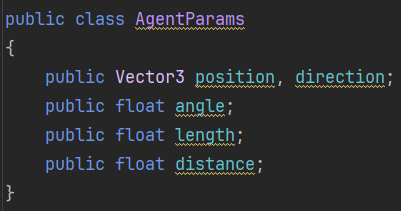
Agents (also known later as AgentParams) are used to save the variables stated in the image above. This is what the variables mean:
- Position: A position in the world.
- Direction: The direction that the L-system is currently facing.
- Angle: The angle that is used to turn.
- Length: The length of the line that is drawn.
- Distance: The minimum distance between points until they should merge.
All these variables are saved to ensure the L-system can return to previous iterations and draw the lines correctly.
Encoding
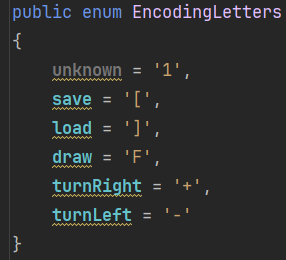
Encoding is used to easily divide sentences into actions. Below are all the actions for the current sequence:
Saving
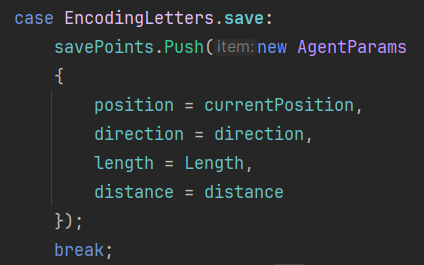
Savepoints (a Stack of AgentParams) is used to save the current state. This way, the algorithm can return to this state later on.
Loading
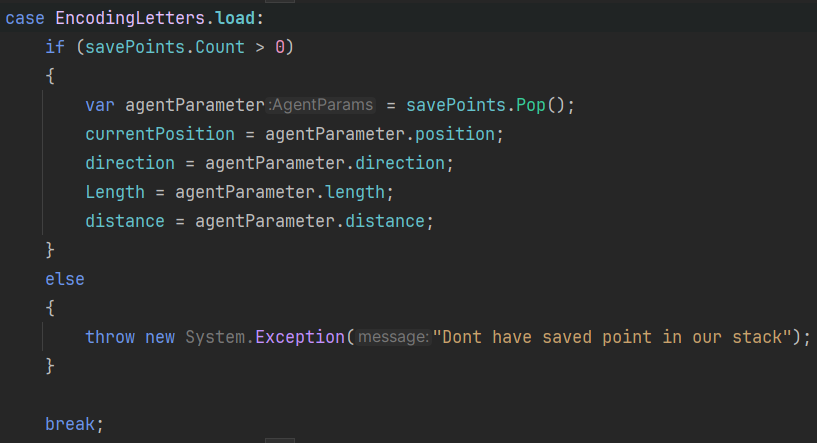
In case there is no item on the stack an exception will be thrown. This is done to prevent the algorithm from trying to load a state that does not exist.
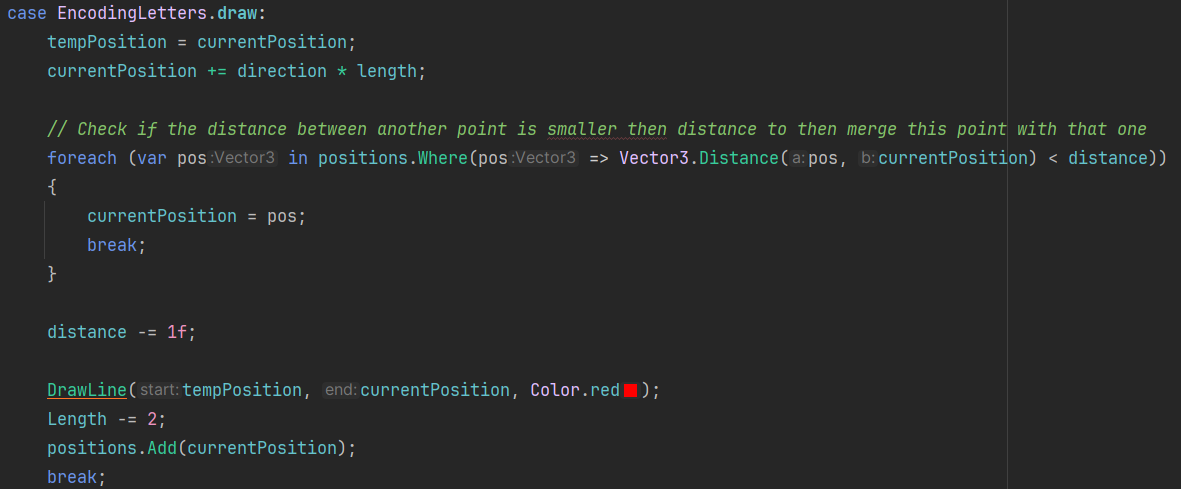
Drawing
Turning
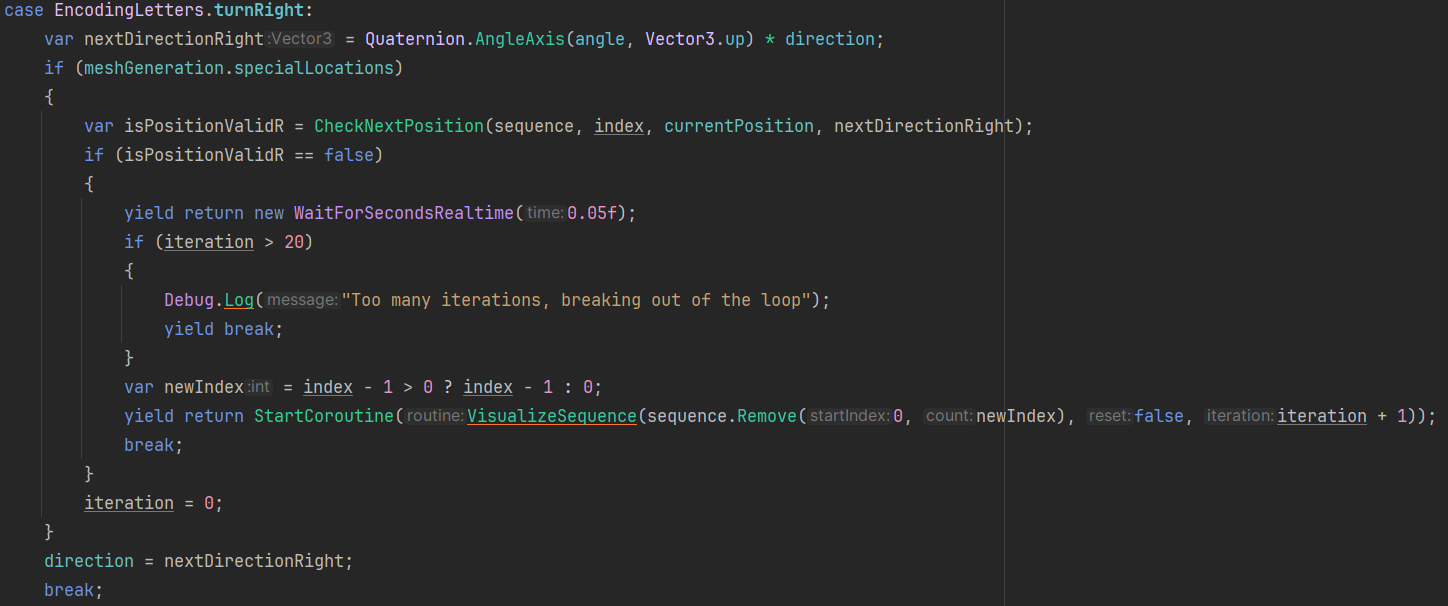
Special locations is a bool that is used to determine at what point a location is valid. If this bool is active the location should be inside the same terrain region as the previous location. This could be used to generate region-specific villages.
If this bool is inactive however villages are not bound to any region. This will result in the villages being very colorful because of all the different region specific buildings.
Spawning
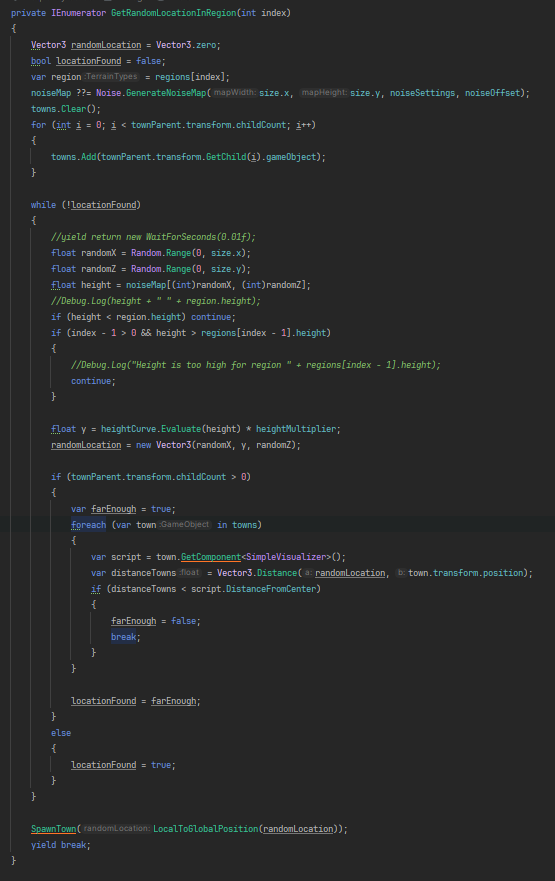
At the start of the village generation, a start region is given. The index value that this function is given is the list index for the region. The regions have a height limit from where their region starts, and logically it ends at the next region. All the towns for the current mesh have the same parent object. This way they can all be easily found at the start of the function. The function will then generate random x and z coordinates and get their height from the noiseMap. The function will then check if the location is valid by checking if the height matches that of the start region and the distance to the other villages.
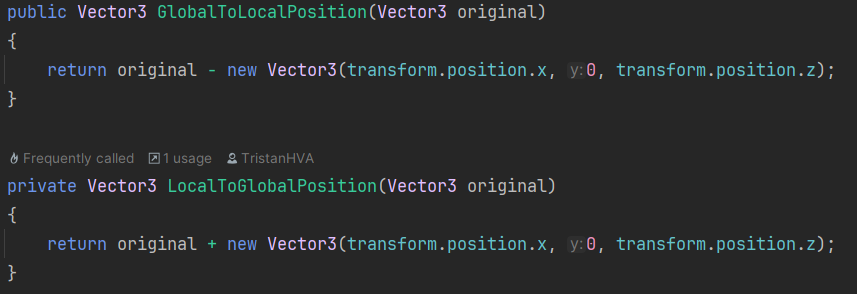
If the location is valid, the global position is calculated and the village spawned. The reason that the position is recalculated to global is because the location was generated to allow for use with the height. Converting it to global is done by adding the transform position of the current parent object.
Implementation
The villages can be spawned using a button in the terrain generator script. The village is then displayed with a line renderer and spheres. These can change to the color of their current region.
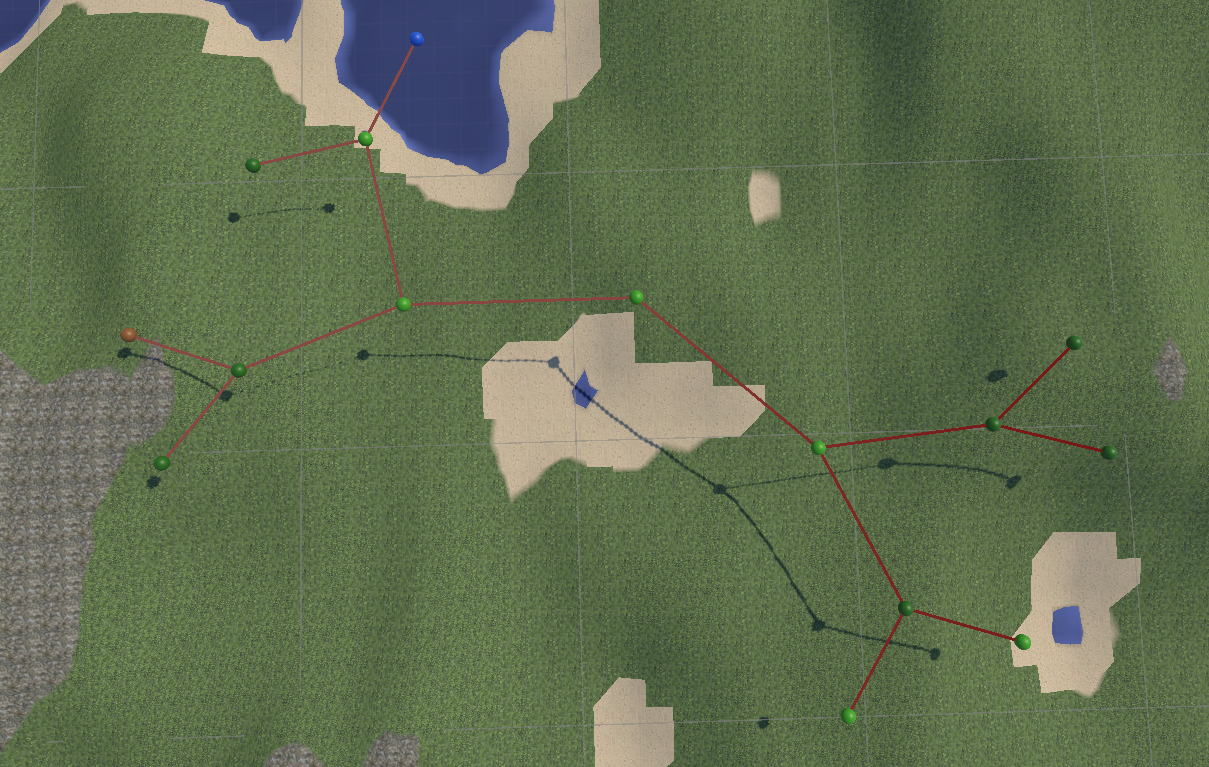
Results
Finding the right algorithm to use and implementing it into the terrain generator was a challenge. However, it does answer the question: How can a village generator be implemented into a terrain generator to improve the ease of making levels for a turn-based rpg?
The villages add a lot more character to the world. Even though the full implementation is not done yet, it is already cool to have villages spread out over the map.
When looking from the developers’ point of view, at the moment they cannot change a lot about the villages themselves. However, this is because the full implementation was outside the time available for this research. When the full implementation would be done, the developer has more control over the look and feel of the villages. But they will still be procedurally generated, which means that looks are the only thing the developer can change about them. Even though allowing the villages to be procedurally generated is a good thing and takes away a lot of work from the developer. It still comes with the price of the developer not being able to choose the layout and location of the village. Which in some cases could be a problem. This means that the short answer to the research question is:
Depending on the terrain generators use case adding a village generator could be very helpful
The answers to the subquestions were also found pretty quickly:
- What algorithm is the best to generate a village?
The L-system is the best algorithm to generate villages. It is very efficient and can create a lot of different villages easily. - What is the easiest way to implement these villages into the terrain generator?
The easiest way to implement the villages into the terrain generator is by letting the terrain generator spawn the village core. The core generates the rest of the village and gives the terrain generator the pathing it should display on its mesh. - What is the best way to spawn the buildings space-efficient on the terrain?
This question fell outside the time limit for this research and is left for further research.
The requirements are mostly all met, but they are not implemented as stated:
- The developer can select which regions the villages should be generated in.
The village generation has two modes, in both versions first a random location is chosen:- In the first case, the rest of the village has to be in the same region.
- In the second case, it does not matter what region the village goes in. It will pick buildings from the region it is in to fill the village.
- The villages should be generated in a way that they are not clipping through each other.
This is implemented by checking the current position to the center point of the other villages and the distance to their outer points. - The villages should grab building from the building pool from their specific region.
This is not implemented yet. However, adding each region’s own building pool is very straightforward. Spreading the buildings out equally could prove a challenge later on.
Further research
Further research could take a deeper dive on how to spawn the villages at, for example, rivers or mountains. This could allow for more unique locations for villages and make the world feel more alive. What the best way is to spawn the buildings space-efficient on the terrain. When the buildings are divided nicely over the village, it allows for a diverse layout. And how the developer could be given more control of the village generator. Allowing the developer to choose the regions of the villages and change the rules for the L-system will make the villages look less alike. These topics could really improve the village generator and allow for more diverse terrain.
Sources
- Wikipedia’s contributors, “L-System”, Wikipedia. https://en.wikipedia.org/wiki/L-system
- “L-System”. https://www.sidefx.com/docs/houdini/nodes/sop/lsystem.html
- P. Prusinkiewicz and A. Lindenmayer, “The algorithmic beauty of plants”, 2004. https://algorithmicbotany.org/papers/abop/abop.pdf
- Sunny Valley Studio “Procedural town,” YouTube. https://youtube.com/playlist?list=PLcRSafycjWFcbaI8Dzab9sTy5cAQzLHoy&si=eIZJwvkU0fDDQ-jd