
Table of Contents
Abstract
This article researches the key design principles for creating 3D platformers. At the core of this is responsive and satisfying movement and level design which challenges and complements these movement mechanics. Level Design brings context to the movement. Elements in the environment like pacing, enemy placement, responsive camera control and visual polish all contribute to the flow of the game, which is when the abilities that the player has available to them perfectly match the challenge given by the game. To bridge the theory of 3D platformers and the actual creation of 3D platformers, an Adaptive 3D platformer tool was created to let designers experiment with player variables, after which they get a level that matches these variables in front of them. This article’s conclusion is that when real-time movement, a well made simulated space, flow and polish come together, they create game feel, which results in a 3D platformer which is satisfying to play.
Introduction
Since the mid-1990’s, 3D Platformers have been one of the most popular genres in gaming. These games offer immersive gameplay that combine satisfying character movement and creative level design. The genre’s popularity and influence started with Super Mario 64 in 1996, which established the foundation for almost every 3D game that followed, not just platformers. It’s mix of great movement, tight controls and incredibly creative level design have set a high bar of what 3D Platformer games should be.
That 3D Platformer games feel really great to play is quite universally agreed upon, but why do they feel so good to play? What makes certain platformers bad? This article aims to answer these questions by researching what elements of 3D platforming games contribute to a good feeling game, and what constitutes a “good” feeling game.
This research, along with analysis of five 3D Platforming games, will be used to create an adaptive 3D platforming tool intended for game developers that allows you to change certain properties of a 3D character. The level then adapts to what property values you have set (so if your jump height is higher, the height difference between platforms will become bigger as well). This can be used to give level and gameplay designers an idea of what a game’s levels and movement should look like.
Research Question
I decided on the following research question:
“What are the key design principles for creating a satisfying 3D platformer?”
This question can be answered after I have done research into 3D Platformers and analyzed what make each of them so great.
Hypothesis
From my experience playing 3D platforming games, the thing I always enjoy the most is the movement. The fact that without a direction or level, moving the player character itself is already fun. My hypothesis is that an immersive, satisfying 3D platformer is one that has responsive movement mechanics, animations that match the speed and actions of the player, and level design that compliments the core mechanics of the player.
Research
What is a 3D Platformer?
Before I dive deeper into the aspects of 3D platformers, it’s important to establish what a 3D platformer even is, and what sets it apart from 2D platformers.
A 3D platformer is a video game genre that, at its core, is about jumping and moving on platforms/a level in a three dimensional space. This is a clear difference between 2D and 3D platformers, as 2D platformers usually only go from one side to another. 3D platformers let a player roam free in a 3D world, thus allowing for way more freedom in gameplay. [3]
Being in 3D inherently allows for more approaches to a problem. When you encounter a Goomba in 2D Mario games like Super Mario Bros, you really only have two ways of dealing with an enemy: jumping over it or jumping on top of it. [3]

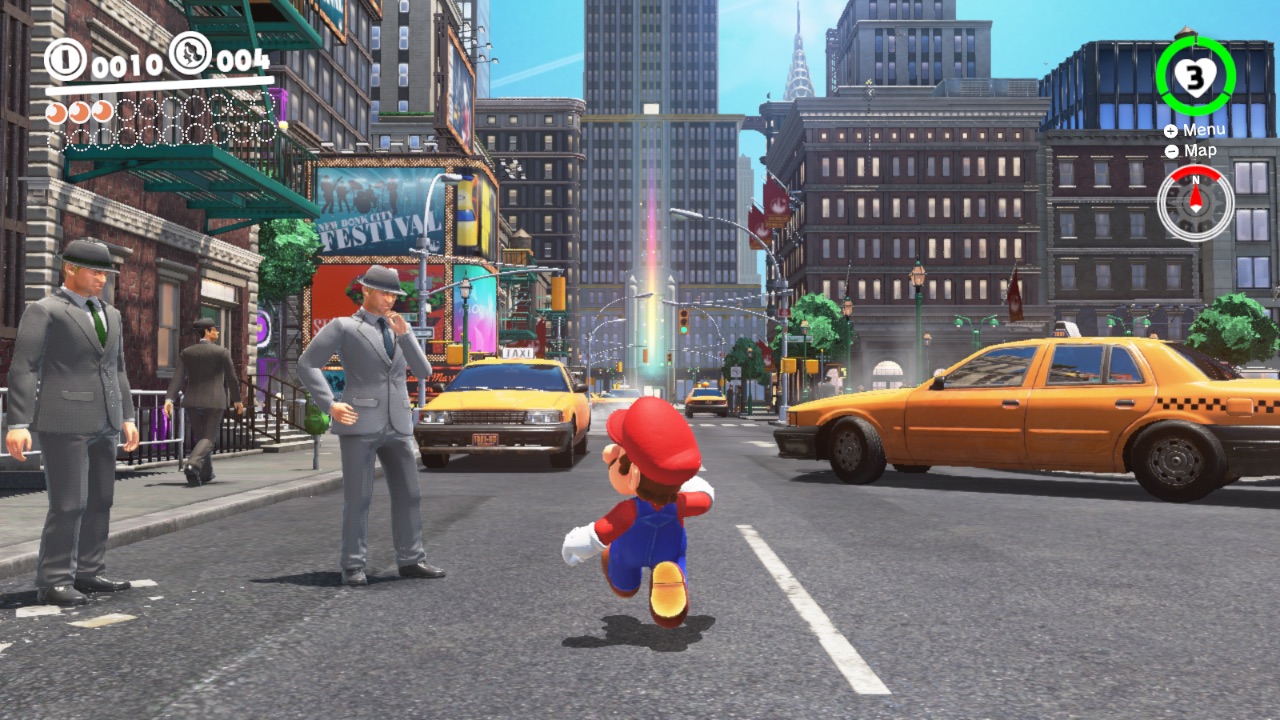
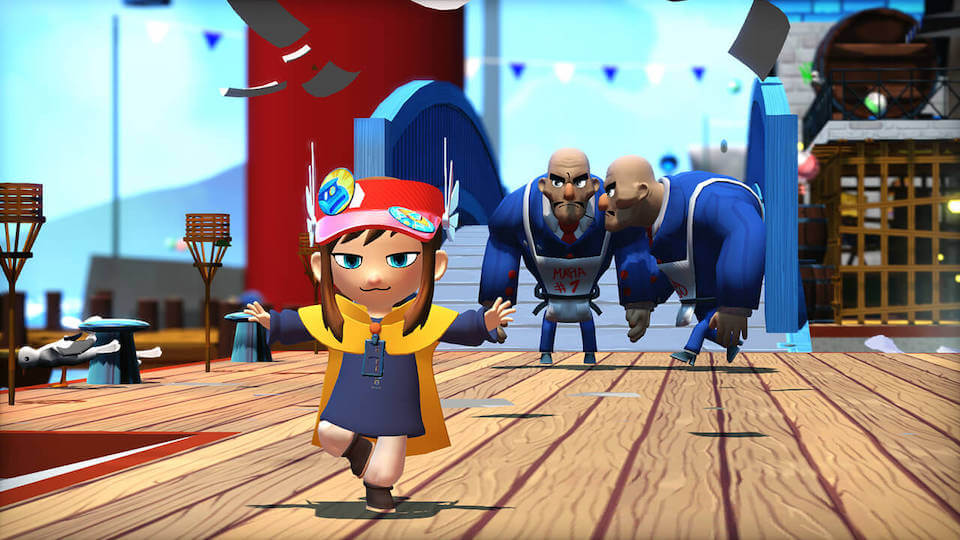
In 3D, this is completely different. Players often have a large amount of core mechanics and abilites, such as the Dash from A Hat in Time, or the throwable Cap in Super Mario Odyssey, which significantly expands the amount of ways to tackle a problem. [3]
The first true 3D platformer was 1995’s Jumping Flash!, made by what would become Sony Japan Studio [6]. However, the genre only got very popular when 1996’s Super Mario 64 came out and established many of the core mechanics still used in 3D platformers to this day.

Game Feel
Game Feel can be a term that is hard to explain, but it essentially is what makes a game fun to play on a fundamental level. Steve Swink, the writer of the book Game Feel: A Game Designer’s Guide to Virtual Sensation, says that there is no singular definition of what game feel is, but that it is rather a collection of different elements that all contribute to how a game feels to play. A game feels good when it combines movement and control together with interaction with the environment, which then results in a responsive and engaging platformer.
Swink describes three different building blocks of Game Feel, which he calls “The Three Building Blocks of Game Feel”. These are Real-Time Control, Simulated Space and Polish.

Real-time Control
Real-time Control is the basis of game feel. It refers to how the player’s inputs get translated to movement of the character immediately, which then creates this continuous feedback loop of input and response. This is not necessarily something you always think about (you don’t really think about every single movement you do in Super Mario 64), Swink, however, compares it more to driving a car: “He turns the wheel in the corresponding direction, using what he sees, hears and feels to make small corrections until the turn is complete.”. The player does not think about every action they take, but they rather react instinctively to what they see happening on the screen. [1]

When talking about 3D platformers, a game should be:
• Responsive - Every input on a controller should have an instant reaction in game, and movement should be predictable so that a player instinctively knows what to do next. [1]
• Feel natural - A character’s movement needs to feel organic, which is done by balancing realistic physics and precise controls.
• Have Air Control - A player should be able to control their character in the air, be that little or a lot, to make adjustments to where a character lands. [3]
Simulated Space
Real-time Control is very important, but it’s nothing without a level (a space) to interact with. As Swink describes it, “Simulated space refers to simulated physical interactions in virtual space, perceived actively by the player”. This refers to all the interaction you have within a space, such as collision with the environment and level design, which means spacing objects relative to the core mechanics of the player. [1]
When talking about 3D platformers, a game should have:
• Collision and Level Design - Every object that is placed in a level needs to have proper collision and take the abilities of the player into account to support fluid movement. If one of the core mechanics of the player is that they can Dash, you have to design a level that complements that (and other) mechanic(s). [1]
• Camera and Shadows - Any good 3D platformer should have a well-designed camera that allows the player to correctly see where they are going in a level. This is not just to see the environment, but it is very important to the overall visibility of the level. Badly designed cameras could make players miss jumps because they miscalculated where a jump would land, due to bad visibility or control of the camera. 3D Platformers should always have the player’s shadow positioned directly under them, regardless of where the sun is located. This then lets the player know exactly where they will land after jumping. [3]
• Environmental Feedback - A player should feel the movements of their character such as the weight of a jump or the push that a moving object forces on a player. [3]
Polish
The third part of Game Feel that is just as important, is Polish. Polish enriches the experience of a game without changing any of the core mechanics. Some forms of polish are the animations of the character and enemies, visual effects like dust coming from your feet when you start running, and the entire sound design of the game. [1]
The examples that Swink mentions are things like screen shake to emphasize a weighty impact, an animation that makes a character stretch out whenever they jump, a crash sound when cars collide or dust particles that appear whenever a player lands on the ground after a jump. [1]
Because polish is added on top of what you create with Real-time Control and Simulated Space, a game will still technically function the same without Polish. However, as Swink explains it, “If all polish were removed, the essential functionality of the game would be unaltered, but the player would find the experience less perceptually convincing and therefore less appealing.”. Polish to the player can be just as important as simulation, because they are indistinguishable to a player. It should not be understated how important polish is to the game feel, and it is on the same level as real-time control and simulated space. [1]

The elements that are the most important to 3D platformers are:
• Animations that match movement - By far the most important element of polish is animations that are perfectly tuned to how fast the player runs, how high they jump, and one that accurately depicts the special moves that they can do, such as dashing. Animations need to reflect what the player is doing in a natural way.
• Visual & Sound Design - A good platformer needs visual effects paired with sound effects to enhance player feedback. These could be sounds that you hear while jumping, dust or cloud particles when landing or camera shakes that happen when the player performs certain actions.
• Extra Effects - Other effects that are applied on top of already existing things, like motion blur on the camera or stretchy animations while jumping can add extra immersion to a platformer.
Character Movement
Character Movement might be the most important aspect of a 3D platformer, and the biggest contributor to a game feeling fun to play. A game can have great level design, good looking visuals and an engaging story, but if the movement is not fun to interact with, players won’t bother with the rest. With that being said, one of the key elements of 3D platformers is that without a level, environment and sound design, a character should be fun to control without interacting with any level elements. This is also a stance that has famously been echoed by Super Mario 64 game director Shigeru Miyamoto: “One of our big development themes was letting the players move Mario around any way they wanted. We wanted to make a game where just moving Mario around was fun.” [2]
This is precisely the reason why a lot of good 3D platformers include a hub world. These act as playgrounds for the player to play around with just the core mechanics of the movement. Super Mario 64’s movement was designed so that, even when playing outside of Princess Peach’s castle, the game was still fun. Miyamoto and his team spent the first few months of development getting Mario’s movement perfect, after which they went on to designing the world around that. [7]
Game designers often focus on getting the movement right before moving on to level design. This means getting the input of the user to exactly match what movement the player character is performing on screen, and making sure that performing this movement gives the user satisfaction. As Swink describes in his book, a good feeling game is one where the control of the player character feels “natural”, where every action on the controller results in satisfaction. [1]
It’s also important to keep in mind what kind of levels you want and what kind of gameplay you want later on. Every added action that a player character is able to do must make sense and must fit together in a logical way with the other abilities that a player can perform, to create a wide array of abilities. A great example for this is 2017’s Super Mario Odyssey, which allows you to throw Mario’s hat in the air, and you can even keep it stationary in midair to create a platform for Mario to jump on. Different abilities that can be combined together like this can later be used to create fun level design, because you can create a gap that, for example, is only able to be crossed by using both the “Throw” of the cap ability and the “Jump” ability. [8]
The movement also decides the pace of your game. If you have movement that is very free or floaty, your game will naturally have fast feeling gameplay. If you create a character that is very heavy to control, your gameplay will be slower. This affects the entire game design, so it is very important to keep in mind. [8]
Level Design
Level Design in 3D platformers bring context to the movement, which means that a well-designed level must work in harmony with the movement mechanics to create a world that simultaneously challenge, engage and reward the player. It should encourage exploration, and offer even greater satisfaction after mastering a game’s mechanics.
In well-made areas in 3D platformers, the player needs to be able to easily understand which parts of the level are the most important. This can be done by adding interesting landmarks to an environment, which a lot of 3D platformers do by having a big structure in the middle of a map. Points that stand out like these can then always be used by the player as a reference point to know where they currently are within the level. [4]
The kind of camera control that your game will have is also important to decide early on, based on what kind of game you’re making. If you’re making a game that is played in shorter, linear levels with limited play areas like Super Mario 3D Land, Super Mario 3D World or Sonic Colors, a fixed camera will be better. You don’t need the player to look back at a level freely, you’re only supposed to go one way. When making open world platformers like Super Mario Odyssey or Sonic Frontiers, a free camera would make more sense. Players are able to go wherever they want, so it only makes sense that in most cases, they should be able to see in any direction they want. [8]

Well made levels need to support a gameplay goal, and the overarching narrative goal. The story of a game can serve as motivation to get through a level, but the real depth is how the player engages with the level to achieve that narrative goal. [8]
Because level design brings context to the movement of the character, every part of a level needs to be built with the player’s abilities in mind. If your game is about very precise platforming, you have to think about how the jump height/distance and momentum affect the placing of your environment elements. Games that are about fast movement should be made in a way where the player is not experiencing constant halts. [8]
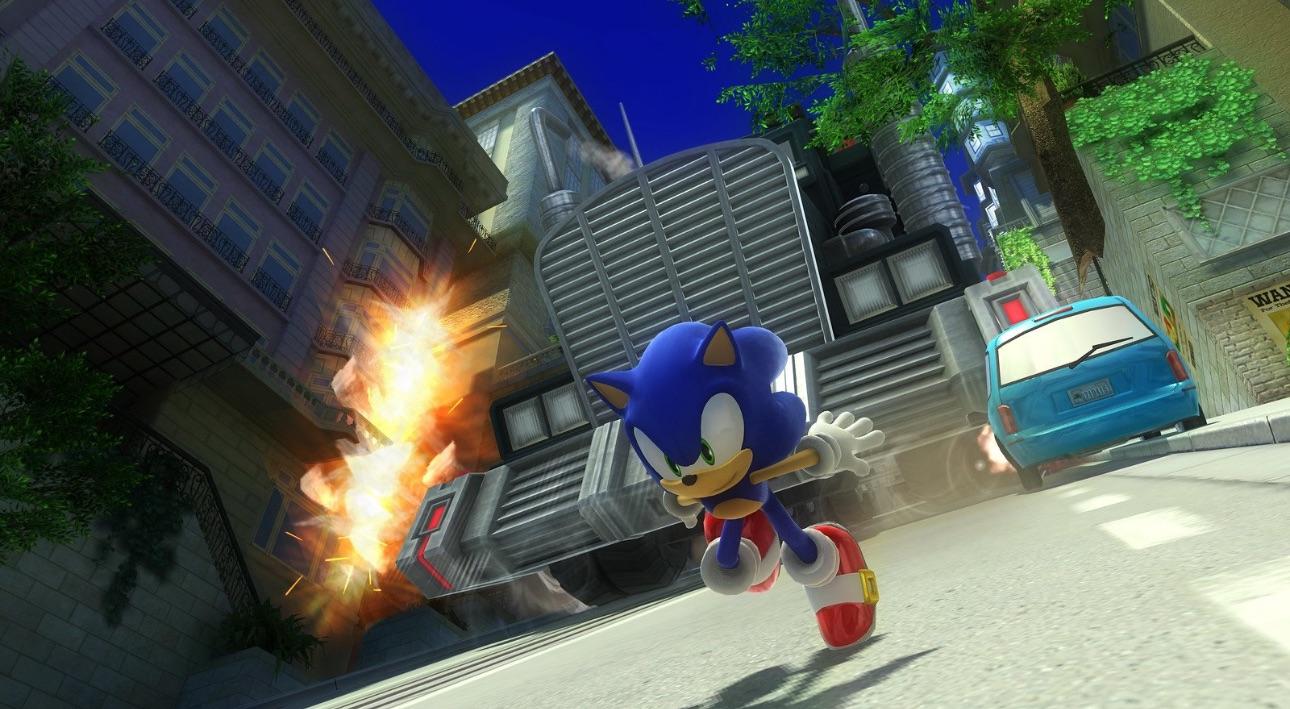
This does not just mean the environment itself, but also the placing of obstacles and enemies. These are just as important as the environment, because they directly impact how a player uses its move set. A great example of this is Sonic Generations, which is about going through a level with very high speed. Sonic is also able to perform a homing attack, which locks on to enemies to attack them. [3]

In A Hat in Time, the player is able to perform a double jump, which is reset whenever a player is on the ground again. Whenever you jump off of an enemy or balloon floating in the sky, you also regain your double jump. This is a prime example of enemy and object placement giving great context to the movement. [3]

The way these enemies are placed will directly impact how the game feels and complements the movement of the game. This is essentially what level design must accomplish in a 3D platformer.
Flow
Flow in a game is achieved when player movement and level design click perfectly. If the player movement feels satisfying to perform and the level is completely built around that movement to complement it, the player will enter an immersed and engaged state. This relationship between the abilities of the player and the challenge of a level is part of what we call the flow state, which when talking about gaming was popularized by Jenova Chen’s thesis called Flow in Games. Chen also went on to create Thatgamecompany, which is well known for their games flOw, Flower, Journey and Sky. [5]

Chen describes flow as a mental state where the player is fully engaged. They feel challenged but not overwhelmed, confident in their abilities, but not bored. This is very relevant in 3D platformers, where a player gets in to a flow state when the movement and abilities of the player are perfectly matching the level design of the game. Every dash, jump and wall jump feels just right, because the world in which they are being performed was made for them. [5]
If a level does not match the abilities of the player, flow is easily broken. If a player does not experience much challenge, it provokes boredom. The player’s abilities can also not be enough to get through a badly designed level, which will make the player experience anxiety. The real challenge when making a game is finding that sweet spot in the middle, that is the flow state. [5]

Popular 3D platformers have a very good understanding of this concept. A game like Super Mario Odyssey slowly introduces new mechanics like capturing enemies, and then lets them comfortably play around with said ability in a relatively safe environment. An increase in challenge and abilities slowly happens throughout the game, where the later levels will demand more of you as a player. As mentioned earlier, everything ties into this. Pacing, core mechanics, enemy placement, camera movement and more are all part of ensuring that the player stays in that flow state area in the middle. [3]
3D Platformers are fun when you can do what you want, how you want with the movement. You can approach the level in a slow but safe way, or a fast, risky way. It often doesn’t matter to a player when they die, because they know it’s on them because of the approach they took. It doesn’t matter if the slow player beats the level on their first go, because it’s not about skill. Flow is about the enjoyment of the game. The wide variety of mechanics that a player has available to them are given context by the large amount of challenges that a level brings. [3] If you can nail this feeling within a 3D platformer, your players will be in the flow state.
Tool Introduction & Analysis
For the development part of this article, my goal was to create a tool that game developers of all kinds could use to test out different character controller variables. Upon changing a variable of the player, such as changing the jump height, the level itself would change based on how high a player could jump. This ensures you always have a level that matches the character’s mechanics. A tool like this would not create a complete character controller for you of course, but it can help as a starting point to base your character controller off of.

To make a tool like this, I would have to identify what common mechanics are shared by most 3D platformers, as these would be important to add to the tool. Some of these might be obvious, such as the ability to jump, but some might be not. I chose five very different 3D platformers that I played for about 20 to 30 minutes each, and have written down specifically the movement mechanics that they each had. At the end of the analysis, I will use these findings to define the scope of this project.
These are the mechanics that were looked at per game:
- • Acceleration
- • Jump
- • Air Control
- • Gravity
- • Momentum
- • Any other mechanics specific to said game (wall jumping, dashing, etc)
If you want a short version of the analysis, a table is included at the end.
Super Mario 64
The acceleration of the character is gradual, but reaches it’s max speed quite fast. The character can jump, and reaches it’s max height whenever the jump button is held. The character can also perform a triple jump by jumping three times in a row, and perform a long jump by holding the trigger while jumping. The character’s air control is limited, there is almost no movement when going left or right while in the air. The gravity is not floaty, and feels heavier compared to other platformers. Momentum plays a large part in performing things like jumps, as you don’t get far by jumping from a standstill. Additionally, the player can wall jump, do flips and dive. [10]

Sonic Adventure 2
The acceleration of the character is gradual. The character can jump, and reaches it’s max height whenever the jump button is held. The character can homing attack whenever the jump button is pressed in mid-air. There is not much air control. Gravity does not feel heavy, but the player falls down to the ground fairly quickly. The movement is heavily based around momentum, and the player is able to grind on rails and charge up a dash. [14]

Psychonauts 2
The acceleration of the character is gradual. The character can jump and double jump, where the jump height is based on if the user holds the jump button. There is a lot of free air control, even without momentum. The gravity is very snappy, not very floaty. The gameplay is not very momentum based, and the player can perform occasional wall jumps/grab. [13]

A Hat in Time
The acceleration of the character is very fast, and feels almost instantaneous. The character can jump and double jump, where the jump height is based on if the user holds the jump button. The character can dash forward using the right trigger. The character can move in the air, high air control. The gravity of the character is very floaty. Has occasional wall climbing and wall jumps. [12]

Jak and Daxter: The Precursor Legacy
The acceleration is gradual but fast. The character can jump and double jump, where the jump height is based on if the user holds the jump button. The character has a decent amount of air control. The gravity is not very heavy, and jumps do not come down very fast. Momentum influences the movement a little bit, and there is occasional wall jumping. [11]

This table shows the findings in a compact way:
| Game | Acceleration | Jump Types | Air Control | Gravity | Momentum | Extra Abilties |
|---|---|---|---|---|---|---|
| Super Mario 64 | Gradual, fast | Normal, triple, long, wall | Low | Heavy-ish | Yes | Wall jumps, flip & dive |
| Sonic Adventure 2 | Gradual | Jump, homing attack | Low | Medium | Yes | Homing attack, rail grinding & spin dash |
| Psychonauts 2 | Gradual | Jump, double jump | High | Snappy | No | Occasional wall jump/grab |
| A Hat in Time | Instant | Jump, double jump | Very High | Floaty | No | Dash, wall climb, wall jump |
| Jak and Daxter | Gradual, fast | Jump, double jump | Medium | Medium | A little | Occasional wall jump |
Defining Scope
These results reveal a few important takeaways:
- • Every game deals with jumping as a button hold action, where the player can jump higher when holding the button for long. This behavior should be in the tool.
- • The games all have varying forms of air control.
- • A few games on the list have dashing and double jump mechanics. These would likely be in some developed 3D platformers, so these should be in the tool.
- • Wall jumping should also be implemented, as this can be another feature that is likely added to some 3d platformers.
With these findings the project scope has been decided:
- • Jump, that reaches max height when holding
- • Adjustable Jump Height
- • Adjustable Run Speed
- • Adjustable Gravity
- • Dash Mechanic
- • Wall jumping
- • Adjustable air control
- • Coyote time for jumps
Results
Adaptive 3D Platformer Tool
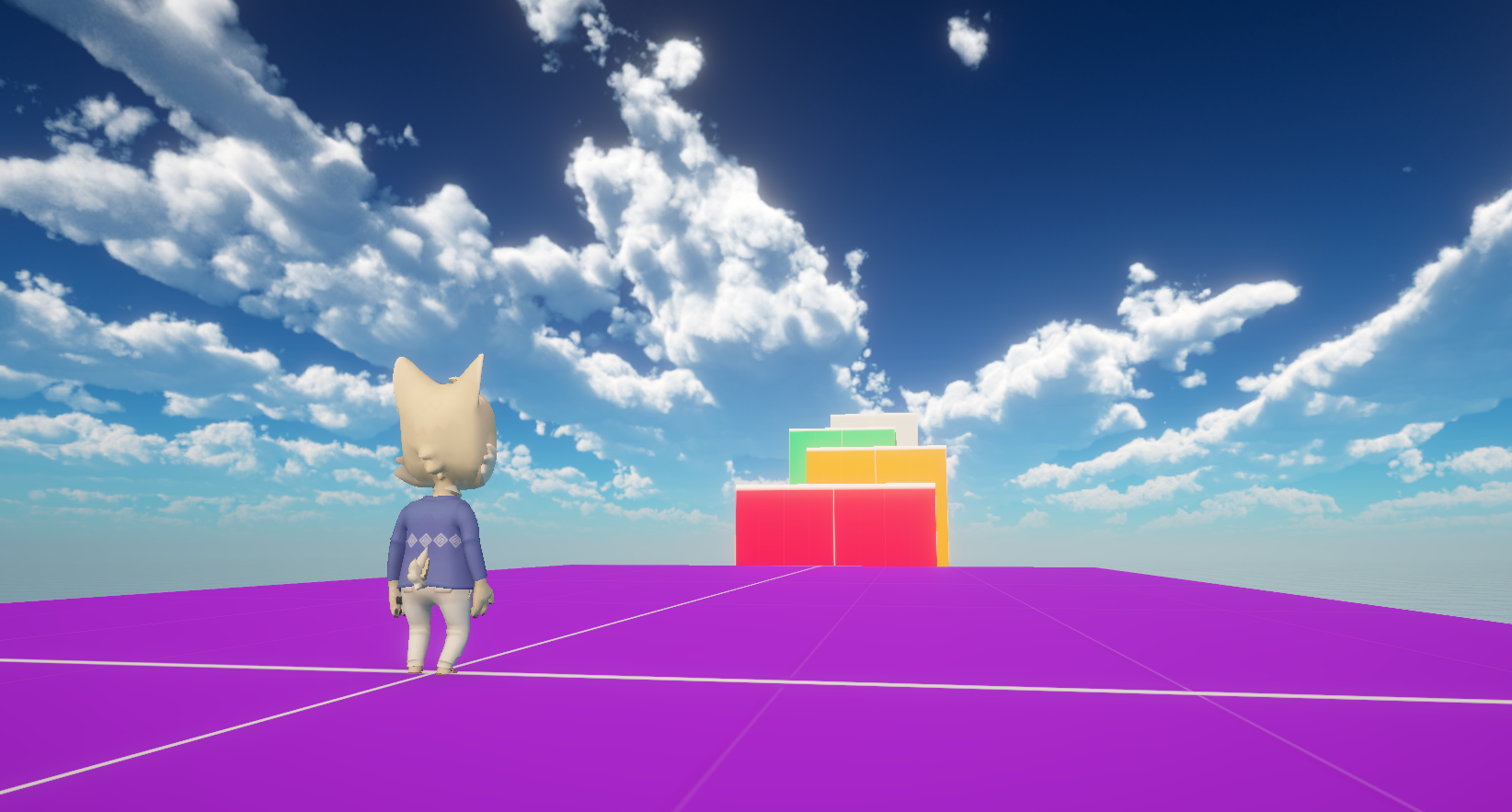
The Adaptive 3D Platformer Tool for Unity is a tool that was made to allow designers to experiment with core mechanics of 3D platformers, and how those affect the level design. It allows you to change the values of the jump height, run speed and gravity, while also giving you toggles to allow for double jumping and dashing, and then see a level in front of you that reflects these values. This tool is intended to be a starting point in the design process of a 3D platformer, a way to experiment with different feeling variables of a player to give you a base to build off of. It does not offer full level generation or give you a complete design solution for your game.
In this tool, the jump height and gravity are used to calculate velocity like this in Unity C#:
velocity.y = Mathf.Sqrt(jumpHeight * 2f * gravity);
Run speed is applied to the character like this:
controller.Move(moveDirection * speed * Time.deltaTime);
These lines of code are provided here, so you could use the values received from the tool in your own Unity project.
A User Interface has been added on top of the screen to give the user the ability to edit the three different variables, and two toggles for Double Jump and Dash. I decided to use sliders, because these immediately show the user how high they can go with editing values. I initially used a 1-8 scale on the sliders, but changed these for 1-10 scales. This was done because a 1-10 is a more universally used scale.
The result of creating this application is a tool that allows you to change the values of the player and simultaneously change the level in front of you. If you increase the jump height, platforms will rise and the space between jumps will become larger. If you increase the run speed, platforms will be spread out more horizontally and the gaps between these platforms will also increase. If you toggle the ability to double jump or dash, space between platforms vertically will increase as well and gaps between platforms will also slightly increase. This tool does not generate new levels for you based on what variables you set, but rather takes a pre-made level and adapts this level to your set variables.


Lastly, the scope of this project has shrunk a little during development. Implementing wall jumping, adjustable air control and more block variation well proved to be difficult, and were cut from the initial version of the project due to time constraints.
Future Additions
The current version of the Adaptive 3D platformer tool for Unity provides a working proof of concept, but it currently comes with some technical limitations. Currently, all the values in the code of the tool are hardcoded, and the values used in the tool are values used in Unity to move the player. This makes the tool difficult to scale and impossible to use with other engines outside of Unity. First of all, if this tool were developed further, the missing features that became out of scope for this project have to be implemented. Adding more changeable/toggleable values that the user could edit would greatly improve the user experience.
Another improvement that would have to be made, is for the tool to become engine agnostic. This could be done by using relative values, not values that work with Unity’s Character Controller only. An example for relative values could be that every value is expressed relative to the player height. For example, if my character is 1.5 meters tall, and my jump height is 2x the player height, the tool could create a jump that is 3 meters high. Similarly, the same relative values could be used for the run speed, where it’s defined as player height per second, and the tool generates gaps based on that as well.
To expand on the level itself, it can become a level that is fully generated based on these values, instead of being a prebuilt level that just adapts to values. There hasn’t been a lot of research done into procedural content generation (PCG) in 3D platformers, but foundational literature, like the book Procedural Content Generation in Games [9], talks about different kinds of algorithms that could be used to build out a system like this.
Search-based generation [9] and Constructive generation [9] are forms of generation that are based around a set of rules. This could take the relative values that were talked about earlier, and calculate a level that is always playable, because of rules like “If a player’s max Jump Height is X, a vertical jump distance between platforms must always be Y”.
To take the Adaptive 3D platformer tool to a level like this, a significant amount of time would have to be put into researching these topics further. Significant development time would also be required to create a mathematical model that accounts for the capabilities of the player, the integration of a PCG model that takes the capabilities of the player to create a level around this, and relative values that can be shown to the user for use in any game engine.
Playtesting
To test if this tool is really useful for designers trying to design a 3D platformer, I have done a playtest to see if this is the case. Because the tool doesn’t create a level on its own, The first tester will use the tool together with the Unity Editor, and the second tester will use the Unity Editor only. These testers are both students, and have about the same general Unity skill level.
The testers are both given the same Unity scene, but one of them will have the adaptive tool disabled. Testers are then given the goal of making a level that takes 1 minute to complete. The time it takes for the testers to make this level is measured, and compared. Afterwards, the tester that used the tool is asked what they found particularly useful about the tool.
My hypothesis for this playtest is that, obviously, the player using the tool will design their level faster compared to the tester that isn’t. I expect this difference in time to be quite large, since the tester who has access to the tool has to do a lot more experimenting with how variables impact the level design.
Playtest Results
The first test I did was the tester that worked with the tool and Unity Editor. The first thing they did was test out the different variables, and play around with how each of them felt. Once they found variables that they were satisfied with, being 4 for the jump height and 4 for the run speed and allowing double jumping, they noted down the values used for these and filled them in in the Unity editor.
Because the tester already knew how big jumps had to be and how far gaps can be, the user was easily able to place new blocks. This was then repeated until a longer level was created. The process for this was about 18 minutes.
The second tester, as expected, had to spend a lot of time experimenting with different values. Because none of this was automatic like the tool, they had to manually keep moving the blocks to a height they thought would be good for a jump, but this was often miscalculated and a lot of variable changes needed multiple tests to actually get jumps that felt right.
After about 20 minutes, the tester had more or less gotten a good feeling player, and started making a level around that. While building the level itself, the tester adjusted more of the player gravity, because they were not completely satisfied with it. This meant they had to adjust the part of the level that was already built. When the level was done and they were satisfied with their result, this took about 31 minutes.
When comparing these numbers, you can see that the person using the tool was able to make a level 13 minutes faster compared to someone that isn’t. Of course this will vary between tests and testers of different skill levels, but this test shows that my hypothesis was correct. The tester without the tool had to spend a lot of time experimenting with values manually.
Conclusion
Designing a good feeling 3D platformer is about understanding all the different elements of a game, and how these should work together. Everything is built around the movement of a game, where the level design, mechanics of the player and game flow all come together to create a fun, immersive and engaging experience where the player is able to do what they want, when they want.
In 3D platformers, the player’s movement mechanics are the most important part of the game’s design. A game needs to have movement that is satisfying to perform, which is easy to learn and hard to master. Movement is given context by level design, which is building environments that not only challenge the player but also compliment the movement mechanics. Use of good pacing, landmarks, enemy placement and good camera control will ensure that players know where to go and how to do so.
When these elements all come together, the player will enter a state called the flow state. In this state, a player is fully immersed in the game, where the player has the right amount of abilities to overcome the challenge of the game. This combination of game elements is what creates game feel. Game feel is when a game is very satisfying to play, and consists of three different elements. When the responsive real-time control, convincing but fun simulated space and polish, such as well-made animations, visual and sound effects and camera shakes that are added on top come together, your game has game feel.
My adaptive 3D platformer tool was created for this exact purpose. It lets designers try out different movement mechanics with matching level designs, which then gives them a good starting point to build their own 3D platformer off of. In this way, the tool acts like a bridge between the theoretical research and the creation of a 3D platformer.
So, to answer my research question: “What are the key design principles for creating a satisfying 3D platformer?”, it’s the harmony between character movement that feels immersive and engaging to play around with, thought out level design that perfectly matches and complements the movement, and making sure the environments and all of it’s obstacles and enemies are designed in such a way to keep the player in the flow state. When these things come together alongside polish, you have game feel, which results in a 3D platformer that feels good and satisfying, but most importantly: fun.
Sources
[1] S. Swink, Game Feel: A Game Designer’s Guide to Virtual Sensation. Morgan Kaufmann, 2008.
[2] “Super Mario 64 – 1996 Developer Interviews,” shmuplations, 1996. https://shmuplations.com/mario64/ (accessed Apr. 02, 2025).
[3] N. Boulton, “What Makes a Good 3D Platformer?,” www.youtube.com, Oct. 20, 2018. https://www.youtube.com/watch?v=SGq5Zaygl-g (accessed Mar. 31, 2025).
[4] hacktic, “This is why your favorite 3D Platformers are so fun,” www.youtube.com, Feb. 25, 2023. https://www.youtube.com/watch?v=wR0YWx1bPHQ (accessed Mar. 30, 2025).
[5] J. Chen, “Flow in Games,” 2006. Accessed: Apr. 04, 2025. [Online]. Available: https://www.jenovachen.com/flowingames/Flow_in_games_final.pdf
[6] “First platform videogame in true 3D,” Guinness World Records, 2008. https://www.guinnessworldrecords.com/world-records/first-platformer-in-true-3d (accessed Mar. 30, 2025).
[7] Game Maker’s Toolkit, “Secrets of Game Feel and Juice | Game Design Basics,” YouTube. Feb. 17, 2015. Accessed: Mar. 31, 2025. [YouTube Video]. Available: https://www.youtube.com/watch?v=216_5nu4aVQ
[8] N. Sinclair, “Your Guide To 3d Platformer Game Design,” Career Gamers, Jun. 20, 2023. https://web.archive.org/web/20240813051940/https://careergamers.com/your-guide-to-3d-platformer-game-design/ (accessed Apr. 02, 2025).
[9] N. Shaker, J. Togelius, and M. J. Nelson, “Procedural Content Generation in Games book,” www.pcgbook.com, 2016. https://www.pcgbook.com/ (accessed Apr. 06, 2025).
[10] Nintendo, “Nintendo 64 – Nintendo Switch Online,” Nintendo of Europe SE, 2021. https://www.nintendo.com/nl-nl/Games/Nintendo-Switch-download-software/Nintendo-64-Nintendo-Switch-Online-2067751.html (accessed Apr. 07, 2025).
[11] “Jak and DaxterTM: The Precursor Legacy,” Playstation.com, 2024. https://store.playstation.com/nl-nl/product/UP9000-PPSA20928_00-SCUS971240000000 (accessed Apr. 07, 2025).
[12] “A Hat in Time,” Steampowered.com, 2017. https://store.steampowered.com/app/253230/A_Hat_in_Time/?curator_clanid=4777282 (accessed Apr. 07, 2025).
[13] “Psychonauts 2,” store.steampowered.com, 2021. https://store.steampowered.com/app/607080/Psychonauts_2/ (accessed Apr. 07, 2025).
[14] “Sonic Adventure 2,” store.steampowered.com, 2012. https://store.steampowered.com/app/213610/Sonic_Adventure_2/ (accessed Apr. 07, 2025).